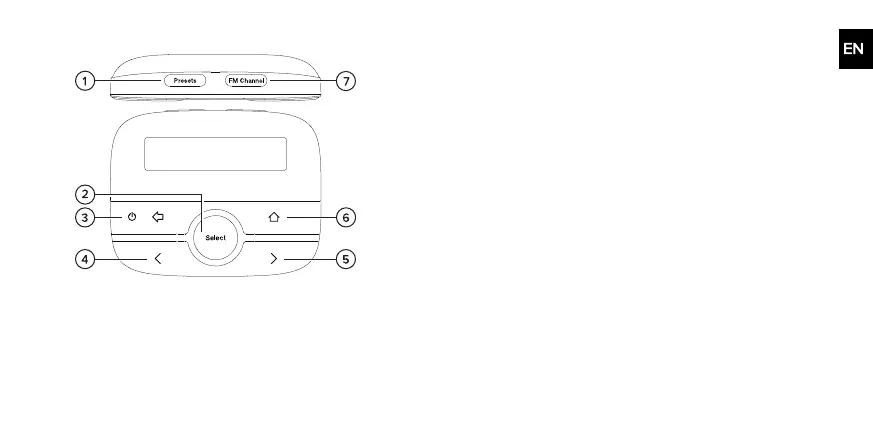
Controls
1 Presets Press to view your digital radio presets. When in this menu,
press and hold to save the current station to a preset number.
2
Select
Press to select a radio station or menu option.
3 Power /
Back
Press to switch your EZi-DAB-ONE on. Press and hold to put
your EZi-DAB-ONE in standby. Press to go back to the previous
screen or cancel an action.
4 Previous Press to choose the previous radio station or menu option.
5 Next Press to choose the next radio station or menu option.
6 Home Press to open the main menu.
7 FMChannel Press to view stored FM transmission frequencies. When in this
menu, press and hold to store the current FM frequency to an
FMchannel.
5



 To Next Page