19
EN
Fit cables and connections
Fit USB extension and AUX IN cables
Route the USB extension (used for MP3/iPod connection) and AUX IN cable from e.g. the glove box, to where you will fi t the main unit, as required. Note that even
if this cable is not required for use with music devices, it is recommended that it is installed to enable easy access to the USB socket for software updates.
Fit connections to the Head Unit
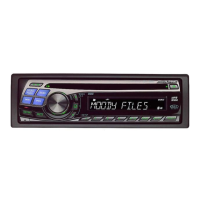
Slide out the Head Unit and connect AUX IN cable from EZi-DAB or connect the FM pass-through cable and reroute the existing FM antenna cable and the pass
through cable to where you will fi t the main unit. Antenna adapters (Fakra/ISO/DIN) or extensions may be required.
Note: If the Line out connection on EZi-DAB is used the FM transmit/pass through is disabled.
Connect the power loom
Connect the supplied loom to the vehicle’s system ensuring the EZi-DAB power connector is positioned where you will fi t the main unit.
Note: The supplied loom provides a permanent live and ignition controlled live feed to EZi-DAB but also offers other connections that may not be required.
Ensure any unused wires are safely taped up and securely tied.
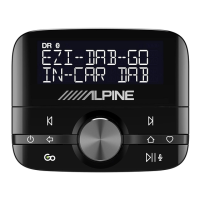
Mount the controller
1. Run the cable for the controller from where you will fi t the main unit to the desired mounting position e.g. on the dashboard and mount the bracket as
required – either using the supplied sticky pad, swivel bracket or third party mounting bracket.
2. Once secure – click the controller onto the controller bracket making sure it is securely mounted.



 To Next Page