12
Using AUX IN
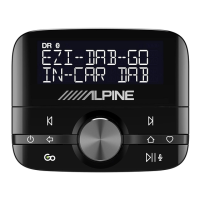
Connect the line out or headphone socket of any audio device to EZi-DAB using an appropriate 3.5mm to
3.5mm audio cable plugged into the AUX IN on EZi-DAB. Depending on the position in which your main
unit has been fi tted this cable may have been pre-fi tted by your installer.
This connection enables audio to be played through EZi-DAB into your Head Unit. While connected you
use the normal controls on your audio device and Head Unit, EZi-DAB cannot control playback as it does
when connected using the iPod/USB connection.
To listen to music from your auxiliary device, select the Auxiliary input source as described on page 7.
Changing the auxiliary input gain
You can adjust the gain on the EZi-DAB auxiliary input if you fi nd the volume level from your device seems
too quiet or too loud. To adjust auxiliary input gain:
1. Select the Auxiliary input source.
2. Press the button, select Settings > Aux gain and choose a value between 0 (quieter) and +3
(louder).
$8;,1
AUX IN source selected



 To Next Page