20
Connect all cables to the main unit
1. Connect all cables to the main unit and trial fi t it in place.
2. Slide the Head Unit back into place.
Check operation/setup
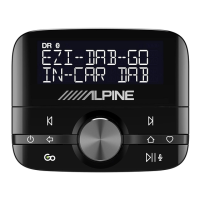
1. As soon as the power is connected, EZi-DAB will switch on automatically, once it has started up it will ask you to select a language.
2. Turn the Select knob to browse and press the knob to choose your preferred language.
3. An autotune will be performed to scan for digital stations and EZi-DAB will tune to a digital station when complete.
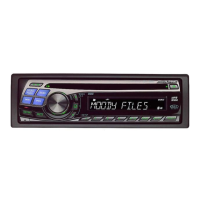
4. Switch on the Head Unit and select the AUX IN source or FM radio depending on fi tting method.
5. Check all sources/connections work.
Installer settings
Installer settings are provided to enable the initial setup, to prevent unintentional changing these appear in a hidden menu. To access the installer settings:
1. Press
, , , , in quick succession.
2. Turn the Select knob to browse through the following options and press the Select knob to choose one.
Antenna input source
Choose the required source depending on the type of antenna you are using:
Connector 8 (powered) Choose this if using an active antenna. (Default)
Connector 8 (unpowered) Choose this if using an alternative unpowered digital antenna like a fi lm windscreen antenna or mag-mount type.
Connector 7 Choose this if using the existing car FM antenna.



 To Next Page