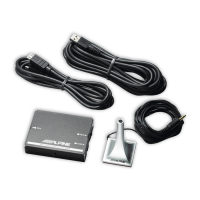
ALPINE KCE-300BT 68-08564Z70-A (CS)
4-CS
Bluetooth 设定
[ AV
Bluetooth 设定操作
1 5 Bluetooth
•
Bluetooth Audio
Bluetooth Setup
•
CD
AV
Bluetooth IN
Bluetooth
ADAPTER
Bluetooth
1
触碰主音源画面上的 [SETUP]。
SETUP
2
触碰 SOURCE 的 [SOURCE] 或 [ ]。
SOURCE SETUP
3
触碰 BLUETOOTH 或 BLUETOOTH SETUP 的
[
]。
Bluetooth
4
触碰所要项目的 [;] / [:]、[ON] / [OFF] 或
[
] 更改项目的设定。
设定项目:
PAIRED DEVICES / DEVICE SEARCH / CLEAR
DEVICE / VISIBLE MODE / AUTO ANSWER
5
触碰 [RETURN] 返回之前画面。
从 CD 主机 / 数字媒体接收机控制:
1 SETUP 2
2 Bluetooth
Bluetooth IN ENT
3
ENT
设定项目:
Bluetooth IN
↔
Paired Device
*
↔
Visible Mode
*
↔
AUTO Answer
*
↔
Clear Device
*
*
Bluetooth IN
Bluetooth
ADAPTER
4
5 ENT
6 ESC SETUP BACK 2
SETUP
设定 Bluetooth 设备
5 Bluetooth
*
设定项目:
PAIRED DEVICES
1
从 PAIRED DEVICE 列表中选择一个要使用的
Bluetooth 兼容装置(更改连接)。
2
触碰 [:]。
•
CONNECTED
2
SETUP
•
FAILED
•
Bluetooth
Bluetooth
Bluetooth
PIN
0000
*
ACC
OFF
从 CD 主机 / 数字媒体接收机控制:
1
Bluetooth
2 ENT



 To Next Page