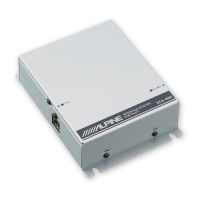
Accessories
Installation
x2
I
Velcro
lastener
Mounting
Velcro
fastener
Attach one side of the Velcro fastener to the box.
Remove the backing from the other side of the Velcro
strip. Gently press the adapter onto
its
selected
mounting location.
For the sake
of
safety, mount the adapter
in
one
of
the
following locations.
• Do not mount the adapter under your feet. Do not step on
the adapter,
or
press excessively on
it.
• Before mounting the adapter, secure enough space at its
upper side to prevent noise or to result
in
malfunction
when sending or receiving data.
• Depending on the adapter mounting location noise may
occur when using a Bluetooth compatible device, or a
malfunction may result when sending
or
receiving data. In
this case, mount the adapter
in
another location.
xl
Power
Cable
~
xl
xl
Bluetooth Interface
Cable
~
xl
xl
Microphone
Mounting
Brackets
DlDa
-
KCE-400BT
Module
Microphone
Velcro
Fastener
Check
accessory parts.
Interconnection Cable
(Only
for
KCE-400BT
purchased
In
the
Europe)
xl
Mounting
the
Microphone
For the sake
of
safety, mount the microphone
in
the following
location.
•
In
a stable and secure location.
•
In
a location that does not inhibit safely driving the
vehicle.
• Mount the microphone
in
a location where the driver's
voice can easily be picked up.
Choose a location for the microphone that can easily pick up
the drivers voice. Requiring the driver to move towards the
mic for audibility causes a distraction that could be
dangerous.
Mount the microphone using the supplied Velcro
fastener
or
the bracket.
9.EN



 To Next Page