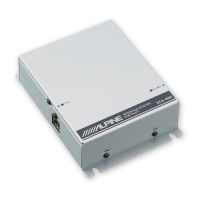
Connections
Connect
a
Bluetooth
compatible
unit
and
an
iPhone/iPod
to
the
Bluetooth
INTERFACE
Before the operation, be sure to set "INT MUTE"
and"
AUX+" (in the setup function of the connected
head unit*) to OFF.
* Head unit includes CD Head Unit, AV Head Unit
and
Digital Media Receiver.
• When the KCE-400BT is connected to a head unit, the
INT
MUTE setting may not be possible, depending on the head unit.
• The AUX+ setting may not be possible, depending on the head unit.
•
For
details, refer
to
the Owner's Manual
of
the head unit.
Connections for the head unit with Full Speed connector I Bluetooth INTERFACE connector
Bluetooth compatible unit:
CDE-101 Series/CDE-102 Series/CDE-W203 Series/CDA-105 Series/iDA-X301 Series/iDA-X303 Series/iDA-X305 Series
Bluetooth compatible
Unit (Sold separately)
1----------------------
....
$HALPINE
~
Mle
Ufo«TS
iPod
POWER
-
r-;;;;-------------l
iPhone I iPod (Sold separately) I
I
I
I
I
I
I
I
I
l _
e I
I
I
I
I
I
I
I
I
Fuse (7.5 A)
®
®
®
®
(If the Bluetooth INTERFACE is
connected, you cannot use a
device connected to the INT lead
(voice Interruption, etc.).)
L _
CD
To
Full Speed connector I Bluetooth
INTERFACE connector
@ Bluetooth INTERFACE Cable (Included)
® The FULL
SPEEDTM
Connection Cable
(KCE-433iV) may be supplied with the head
unit.
If
not, purchase separately.
* This connection can be
11U1de
only
for
the CDE-IOI Series/
CDE-J02 Series/iDA-X30J Series/CDE-W203 Series.
For
details, refer to the Owner's Manual
of
the Bluetooth
compatible head unit.
• An iPhone cannot be connected
for
iDA-X30J Series.
@ Microphone (Included)
lO.EN
® Audio Interrupt Out lead (Pink/Black)
Be
sure to connect only when power
is
turned off,
as a malfunction may result.
® Audio Interrupt In lead (Pink/Black)
(j) ACC (Ignition) lead (Red)
To
the ACC Power lead.
@ Battery lead (Yellow)
Connect this lead to a terminal that constantly
provides power (to the positive (+) post of the
battery).
® Ground lead (Black)
Connect to a metal part of chassis body with screw.



 To Next Page