2-EN
If your navigation system is connected to the
Nokia 6090 (GSM 900 Car Phone), you
can automatically dial to the "Point of Interest"
(POI) and "Memory Points" that you have
already placed in memory.
NOTE
To connect the navigation system, you need a Navi-
Nokia 6090 cable (KCE-6090P).
Please be aware that the telephone numbers of items
registered on the disc may change day by day, and
they are not always correct.
Automatic Dialing from a Point of
Interest item
1 Press the MENU button to display the main
menu. Select "Destination" from the main
menu by tilting the joystick and press
ENTER. Select "POI" from the sub-menu by
tilting the joystick and press ENTER.
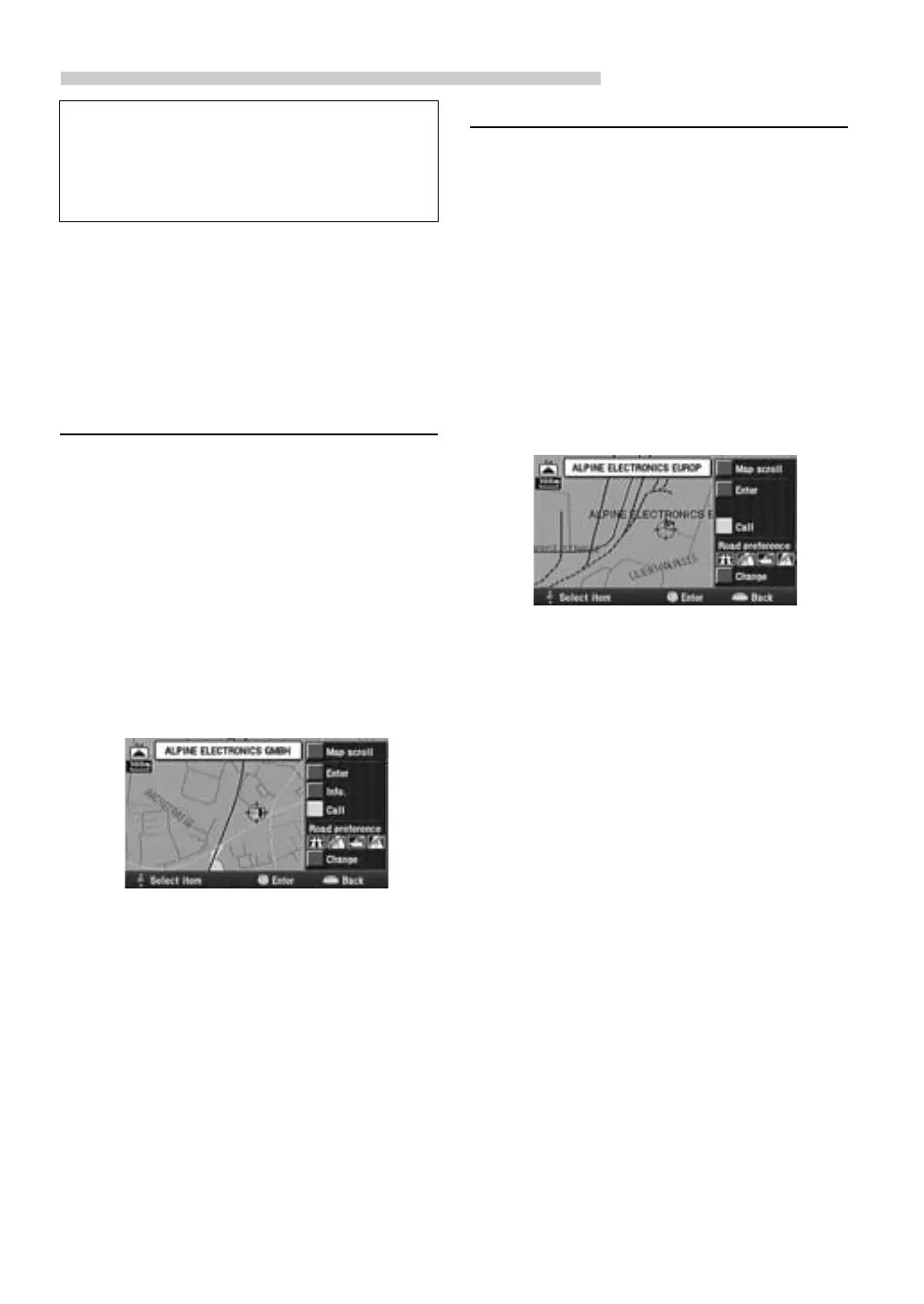
2 Refer to "Searching for a point of interest
(POI)" in the Owner's Manual (Prog. Ver.
2.00) and search for a desired POI item.
Then display the screen map.
3 Select "Call" by tilting the joystick and press
ENTER.
NOTE
You can also “Call” from the “POI information”
screen after selecting “Info.”
4 The number is automatically dialed, and the
telephone is connected.
5 To disconnect the telephone, press
RETURN.
NOTE
If the telephone is not connected due to busy line or
some other cause, a message will be displayed.
To delete the message, press RETURN.
Automatic Dialing from a Memory Point
1 Press the MENU button to display the main
menu. Select "Destination" from the main
menu by tilting the joystick and press
ENTER. Select "Memory point" from the
sub-menu by tilting the joystick and press
ENTER.
2 Refer to "Searching from memory points" in
the Owner's Manual (Prog. Ver. 2.00) and
search for a desired Memory Point. Then
display the screen map.
3 Select "Call" by tilting the joystick and press
ENTER.
NOTE
You cannot “Call” when the telephone number is not
registered to Memory Points.
4 The number is automatically dialed, and the
telephone is connected.
5 To disconnect the telephone, press
RETURN.
NOTE
If the telephone is not connected due to busy line or
some other cause, a message will be displayed.
Automatic Dial Operation


 To Next Page