3-EN
Viewing GPS Operation
Viewing GPS screens
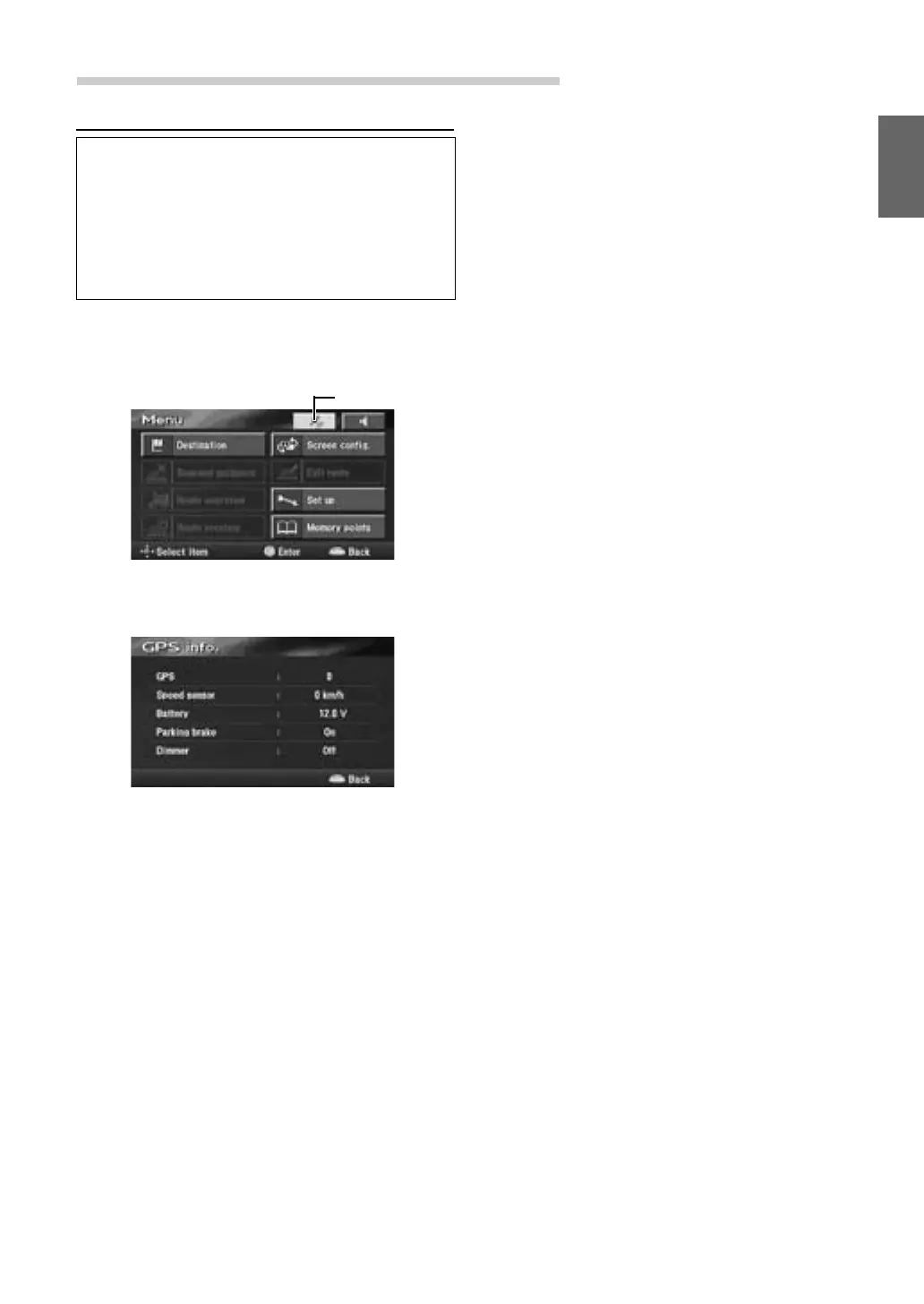
GPS satellite information being received is
displayed on the screen. If the error for the
vehicle's current position is too large, check
how many GPS satellites you are receiving.
Furthermore, you can confirm the status of
the Speed Pulse, ACC Power, Parking brake,
illumination (status of the vehicle lights) etc.
1 Press the MENU button to display the main
menu. Select "GPS mark" from the main
menu by tilting the joystick and press
ENTER.
2 The GPS information screen is displayed.
Confirm the setting of each item.
Tips
"GPS" indicates the number of GPS satellites being
received.
3 Press the POS. button to return to the
current vehicle position screen.
GPS mark


 To Next Page