3. Configure AP Mode (2.4G/5G)
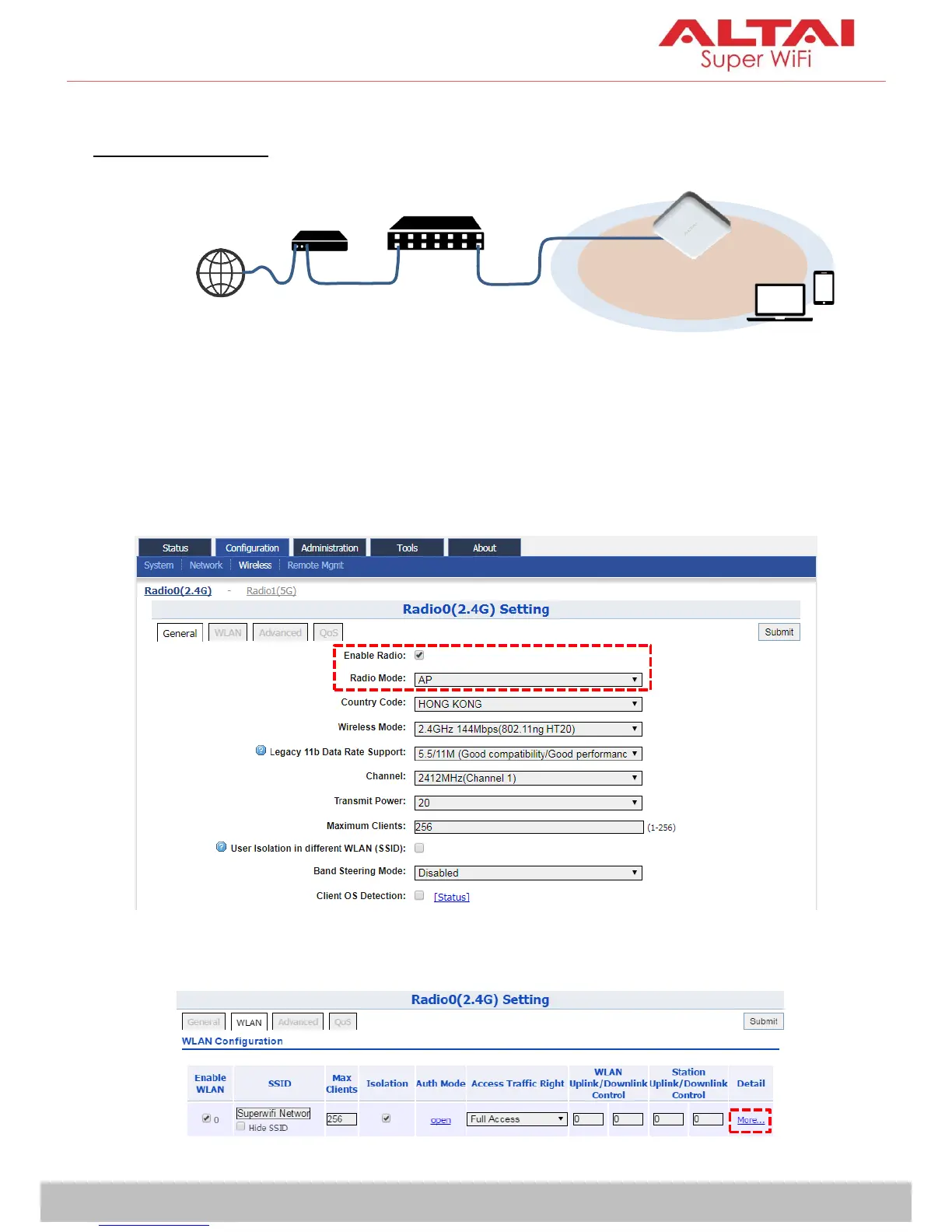
Network Scenario
Go to Configuration > Wireless > Radio0(2.4G)/Radio1(5G) > General. Below
screenshots show an example for 2.4G radio configuration only. Same
procedures can be applied to 5G radio configuration.
1. Make sure the box of Enable Radio is checked. Select AP mode for the
field of Radio Mode. Then click Submit.
2. Click WLAN and click More… in Detail of WLAN 0 to go to another page
for SSID and security configuration.



 To Next Page