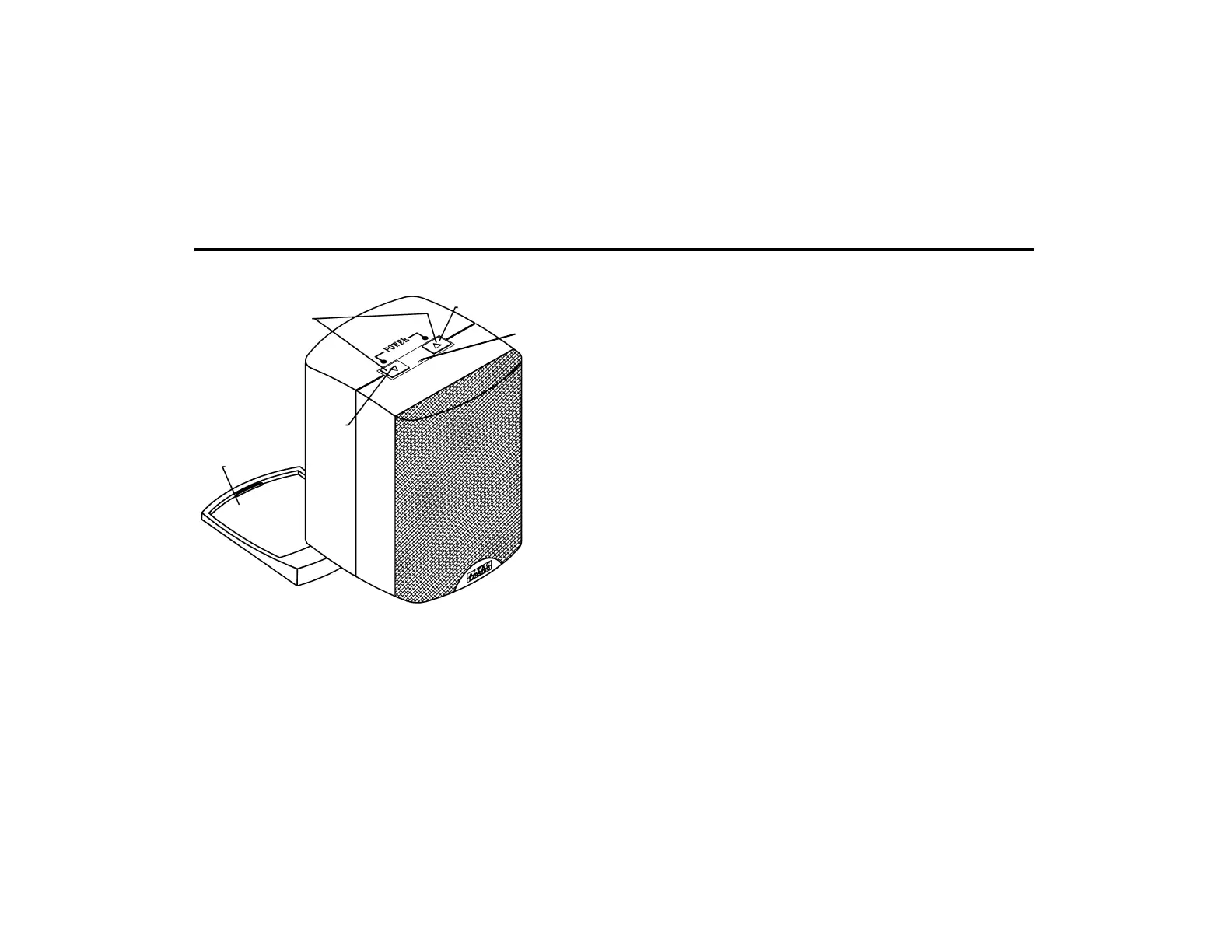
Figure 2
6
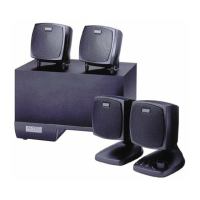
relationship to the satellites. Placing the subwoofer on the
floor close to a wall or corner of a room provides
maximum bass efficiency. The subwoofer is not
magnetically shielded and should not be placed near
video displays.
The satellite speakers are magnetically shielded and can
be placed close to the computer monitor without
distorting the video image. Best stereo effect is obtained
by placing the speakers as far apart as practical.
How to Enhance Presentations with Dialogue
A CD player or other audio source can be plugged into
the unused INPUT. Mixing of the computer audio output
with another audio source can be accomplished by using
the volume control or ON/OFF switch on the second
audio source. A typical example may be as follows:
A lecturer may want to interject dialogue into a
multimedia presentation. If the lecturer has a wireless FM
microphone system the output of the microphone
receiver can be connected to the unused input on the
ACS48. When the lecturer wishes to make a comment, he
either turns on the microphone switch to speak or he can
raise or lower the microphone volume control to mix his
voice with the computer audio program. Any other audio
Placement of Speakers
All stereo information is heard from the satellite speakers.
The subwoofer contains no stereo information and
sound is non-directional. As a result, the subwoofer does
not necessarily have to be placed in any particular
PRESS BOTH CONTROLS
SIMULTANEOUSLY TO
TURN POWER ON/OFF
PRESS
CONTROL
TO LOWER
VOLUME
DETACHABLE BASE
THAT ALLOWS
THE SPEAKERS TO
BE ANGLED UPWARDS
IF REQUIRED FOR
BETTER DIRECTIVITY OF
SOUND
PRESS CONTROL TO
RAISE VOLUME
POWER ON/OFF
INDICATOR





 To Next Page