EasyManua.ls Logo

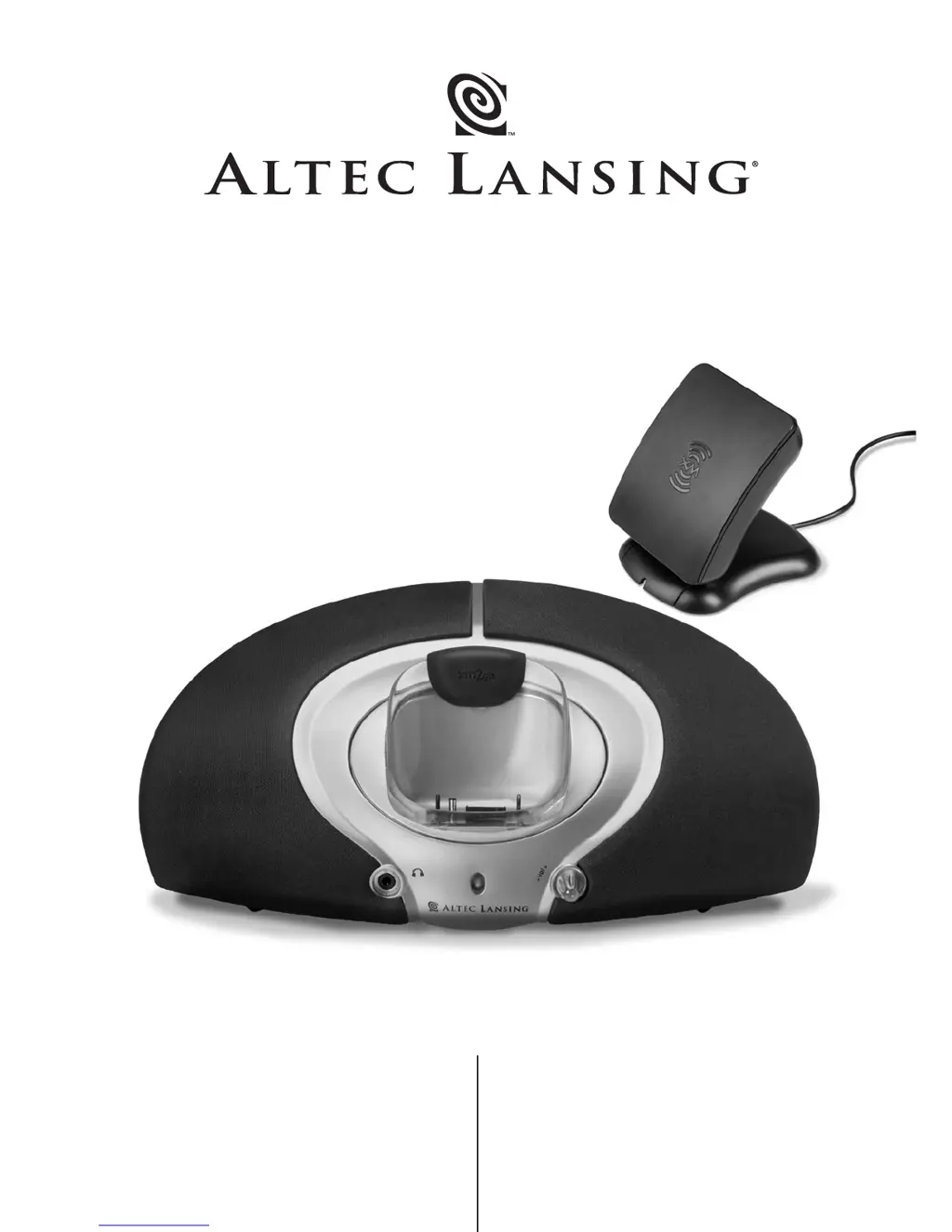
Altec Lansing XM3020 - User Manual

Altec Lansing XM3020
10 pages
Print Icon
To Next Page IconTo Next Page
Loading...
User’s guide
Guía del usuario
XM3020

Questions and Answers

  • J
    Jennifer DaughertyJul 26, 2025
    How to troubleshoot Altec Lansing XM3020 Docking Speakers with no power LED?
    • W
      William WilliamsJul 26, 2025
      If the power LED on your Altec Lansing Docking Speakers isn't lit, there are a few potential causes. First, ensure the power supply cord is properly connected to both a functioning wall outlet and the power supply jack on the back of the system. If you're using a surge protector, verify that it's switched on. Finally, test the wall outlet by plugging in another device to confirm it's working.
  • S
    Sarah VasquezAug 10, 2025
    Why is the sound distorted on my Altec Lansing XM3020 Docking Speakers?
    • M
      Melissa TranAug 10, 2025
      If the sound from your Altec Lansing Docking Speakers is distorted, the volume level on the system may be set too high. Try turning the VOLUME knob on the receiver counter-clockwise to decrease the volume.

Summary

Safety Instructions

Risk of Electric Shock

Instructions to prevent electric shock and avoid opening the enclosure.

Appliance Exposure to Rain or Moisture

Warning against exposing the appliance to rain or moisture to reduce fire or shock risk.

Warranty and Customer Support

One Year Limited Warranty

Details of Altec Lansing's one-year limited warranty, coverage, and exclusions.

Customer Service

Information on obtaining assistance for setup and performance questions.

FCC Compliance

FCC NOTE

Statement on device compliance with FCC rules and conditions for operation.

Getting Started

Box Contents and Compatibility

Lists included items and compatible XM2go receivers for the system.

System Placement and Connections

Guidance on positioning the system and making proper connections.

Using the XM3020 System

Playback and Volume Control

Instructions for starting playback, adjusting volume, and using wireless remotes.

System Specifications

Technical details including Sound Pressure Level, Total Continuous Power, and Signal to Noise Ratio.

Troubleshooting Common Issues

No Power LED

Solutions for when the power LED is not lit, including checking connections and outlets.

No Sound from Speakers

Troubleshooting steps for when no sound is produced, checking antenna, volume, and seating.

Sound Distortion

Solutions for distorted sound, primarily adjusting the master volume level.

Registration and Contact Information

Register for Offers

Information on how to register for exciting offers online.

Company Contact Details

Contact information for Altec Lansing's corporate headquarters and international offices.

Altec Lansing XM3020 Specifications

General IconGeneral
ManufacturerAltec Lansing
Product TypeDocking Speakers
BluetoothNo
TypeDocking Speakers
ConnectivityWired
Inputs3.5mm audio jack
CompatibilityiPod, iPhone

Related product manuals