ALP-XP800 XPEDITION 3
Power On
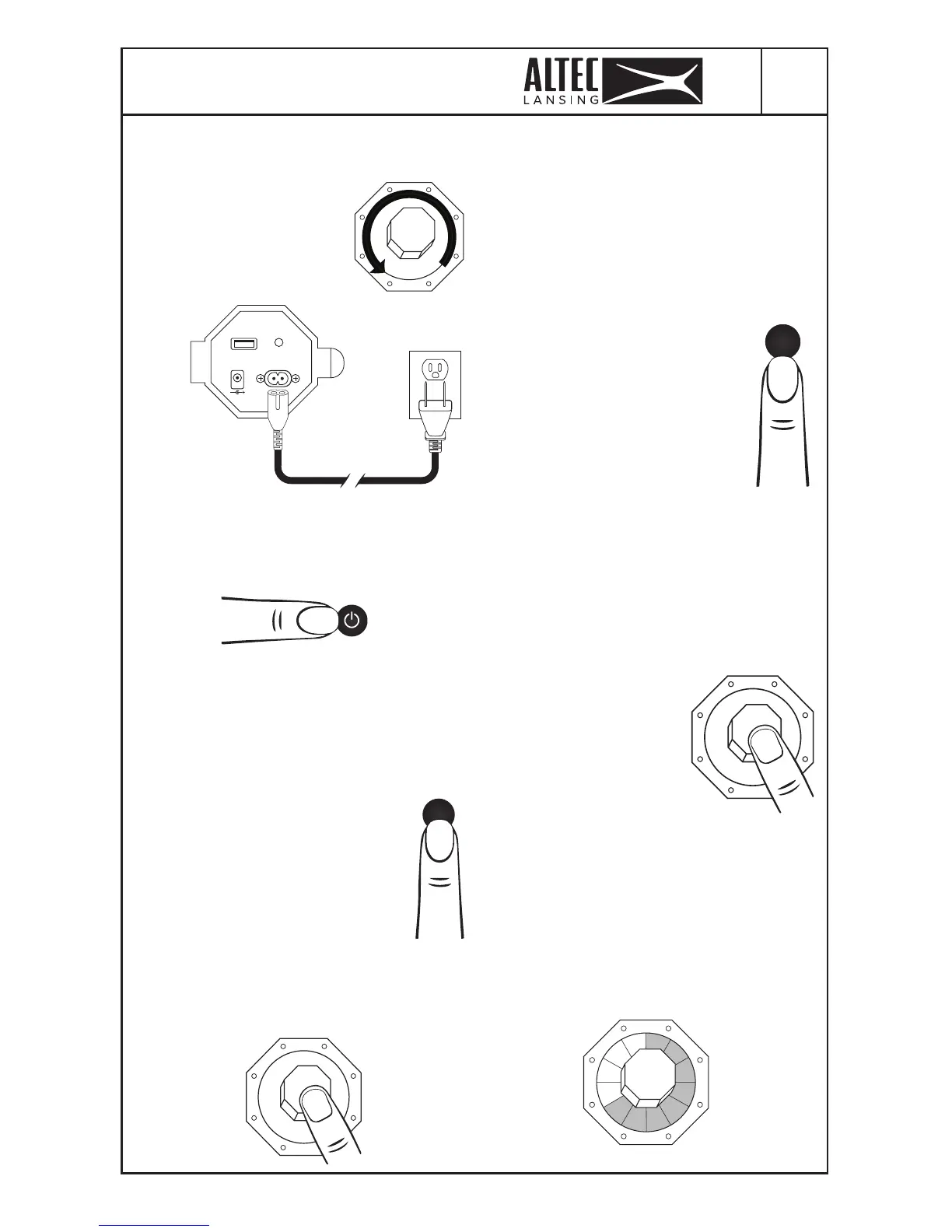
• Turn the Volume knob to 0.
· Apague completamente el
volumen.
• Connect power from
mains power to the speaker.
· Conecta la bocina al toma
corriente.
• Press the POWER button. As soon as
it’s on you’ll hear “Welcome to Altec
Lansing”.
· Enciende el boton “POWER”. Cuando esté
encendido oirás “Welcome to Altec Lansing”.
• Be sure to charge the battery fully before
rst use.
· Asegúrese de cargar la batería completamente
antes de usar la bocina por primera vez.
Lighting
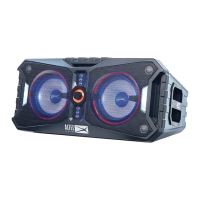
The Xpedition has lights built into
the front of the speaker.
La Bocina tiene luces delanteras.
• Press the LIGHT button to switch
between the 4 built-in light modes.
· Presione el botón “LIGHT” para elegir
uno de los 4 modos de iluminación.
• To change the color of the current
light mode, press and hold the Volume
knob for 2 seconds.
· Para cambiar el color del modo de luz actual,
mantenga pulsado el boton “Volume” durante 2
segundos.
USB OUTA UX IN
DC IN 12V 3A
AC IN
110-240V
5V / 2A
• Turning the knob will change the color of
the lights. There are 12 color combinations
including random. You will automatically
exit color change mode by not using any
control for 2 seconds.
· Girar el boton “Volume” cambiará el color
de las luces. Hay 12 combinaciones de colores
incluyendo al azar. Saldrá automáticamente del
modo de cambio de color al no utilizar ningún
control durante 2 segundos.
• To turn the strobes ON or OFF,
press the Strobe button.
· Para encender o apagar los ashes,
presione el botón “Strobe”.
• If you are sensitive to ashing
lights, please be sure to turn the
strobes OFF when using the speaker.
· Si es sensible a las luces intermitentes,
asegúrese de apagar las luces estroboscópicas
cuando use la bocina.
Note: Please see the guide at the back
of the manual for an explanation of the
lighting modes and color selections.
Consulte este manual para una explicación de los
modos de iluminación y las selecciones de color.
Lights
Strobe
Check Battery Status
• You can check the
internal battery charging
level on the Xpedition by
pressing the Volume knob
for less than 1 second.
· Puede comprobar el nivel de carga interna
de la batería de la bocina presionando el boton
”Volume” durante menos de 1 segundo.
• The LED ring around the Volume knob
will light, indicating the amount of charge
left in the unit (each of the 12 segments
represents approximately 8.3%)
· El anillo LED alrededor del boton “Volume”
se encenderá, indicando la cantidad de carga
restante en la Bocina (cada uno de los 12
segmentos representa aproximadamente 8,3%).
Battery level 66.63%






 To Next Page