Chapter 5
Application Selector
The application selector utility is the default code that powers on the FPGA and offers a graphical
interface on LCD allowing users to select and run different demonstrations resides on SD Card.
5
5
.
.
1
1
R
R
e
e
a
a
d
d
y
y
t
t
o
o
R
R
u
u
n
n
S
S
D
D
C
C
a
a
r
r
d
d
D
D
e
e
m
m
o
o
s
s
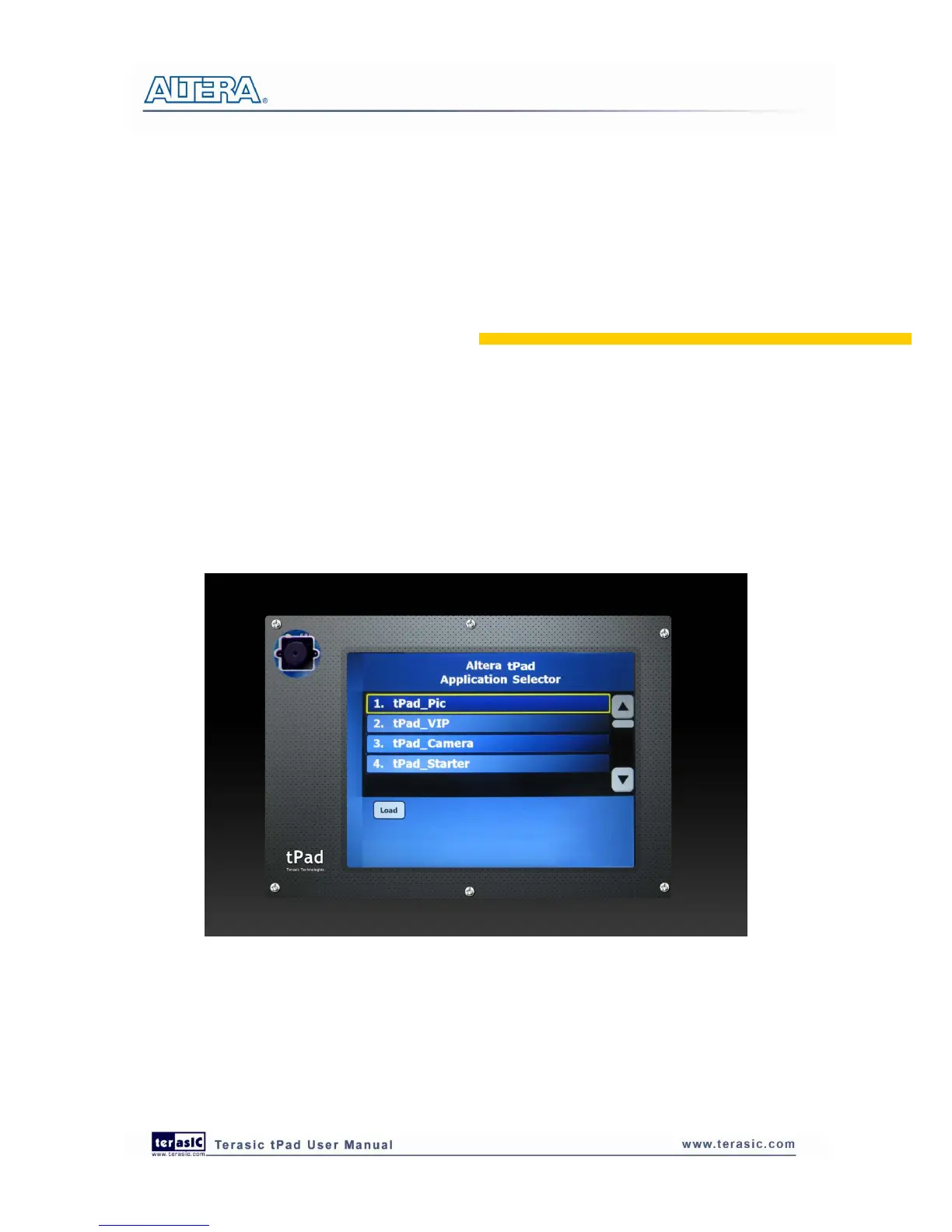
You can find several Ready to Run SD Card demos in your SD Card root directory as well as in the
System CD under tPad_Factory_Recovery\Application_Selector folder. Figure 5-1 shows the
photograph of the application selector main interface.
Figure 5-1 Application selector main interface
Also, you can easily convert your own applications to be loadable by the application selector. For
more information see “Creating Your Own Loadable Applications” in section 5.3. If you have
lost the contained files in the SD Card, you could find them on the tPad System CD under the
tPad_Factory_Recovery folder.



 To Next Page