Note: You will be able to email or save gait reports at the end of your session
(discussed in section 5).
Section 8: Operating Pain
Pain Recording
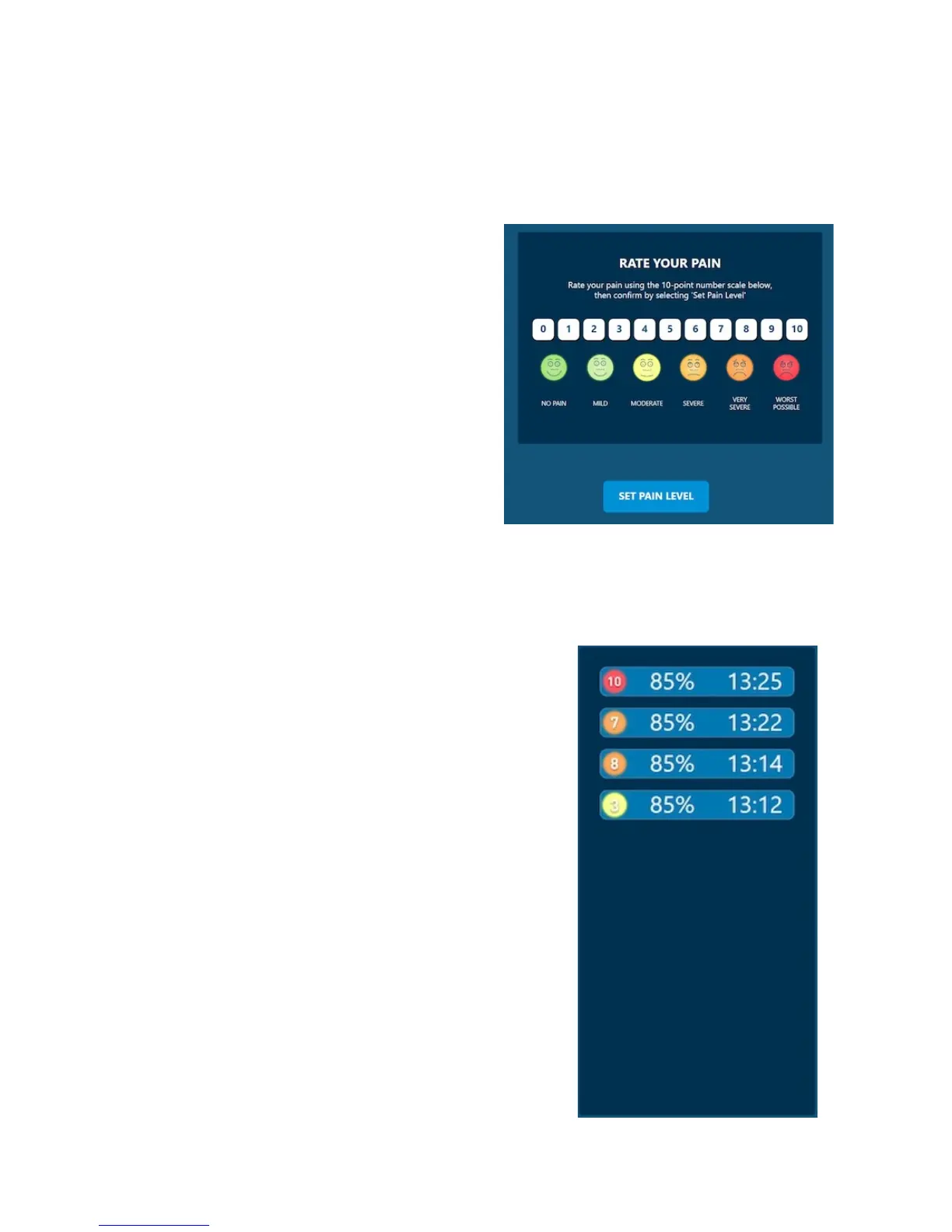
While in a session, to record pain, click on
the “Pain” button (Figure 26).
Pain can be recorded on a scale of 0-10 (0 =
no pain, 10 = maximum pain). To record pain,
select a number from 0-10 and click “Set Pain
Level.”
There are no prompts during the session to
remind you to input pain. It is up to the
therapist to ask the patient what their pain
level is and input it throughout the session.
Once you have set the pain level, you will automatically be sent to the
“View Results” page.
'
'
Pain Results
To review previous pain recordings, click on the blue
“View Results” button. This is to the right of the green
“Set Pain Level” button.''
A graph displaying all recorded pain results will be
plotted here (Figure 27). The graph displays pain in
relation to approximate body weight %. (i.e. – If you
recorded a pain level of 8 at 93% body weight, you will
see the number 8 listed in-between 90-100%).
Tolerance will also be displayed. This is a
measurement of the body weight % where the patient
felt the least amount of pain. (i.e. – Patient example in
Figure x rated a pain level of 2 at 79% body weight).
Note: Pain results will automatically be included when
you email or save your end of session reports
(discussed in section 5).


 To Next Page