DE-3000+ IOI 8-15
All rights reserved © ALTRONIC, LLC 2015
16
9.5 The Alarms on the DE-3000+ controller are setup and executed through the
MIDAS HMI. There is a two-step alarm activation system in place that needs to
be setup before alarms will become active.
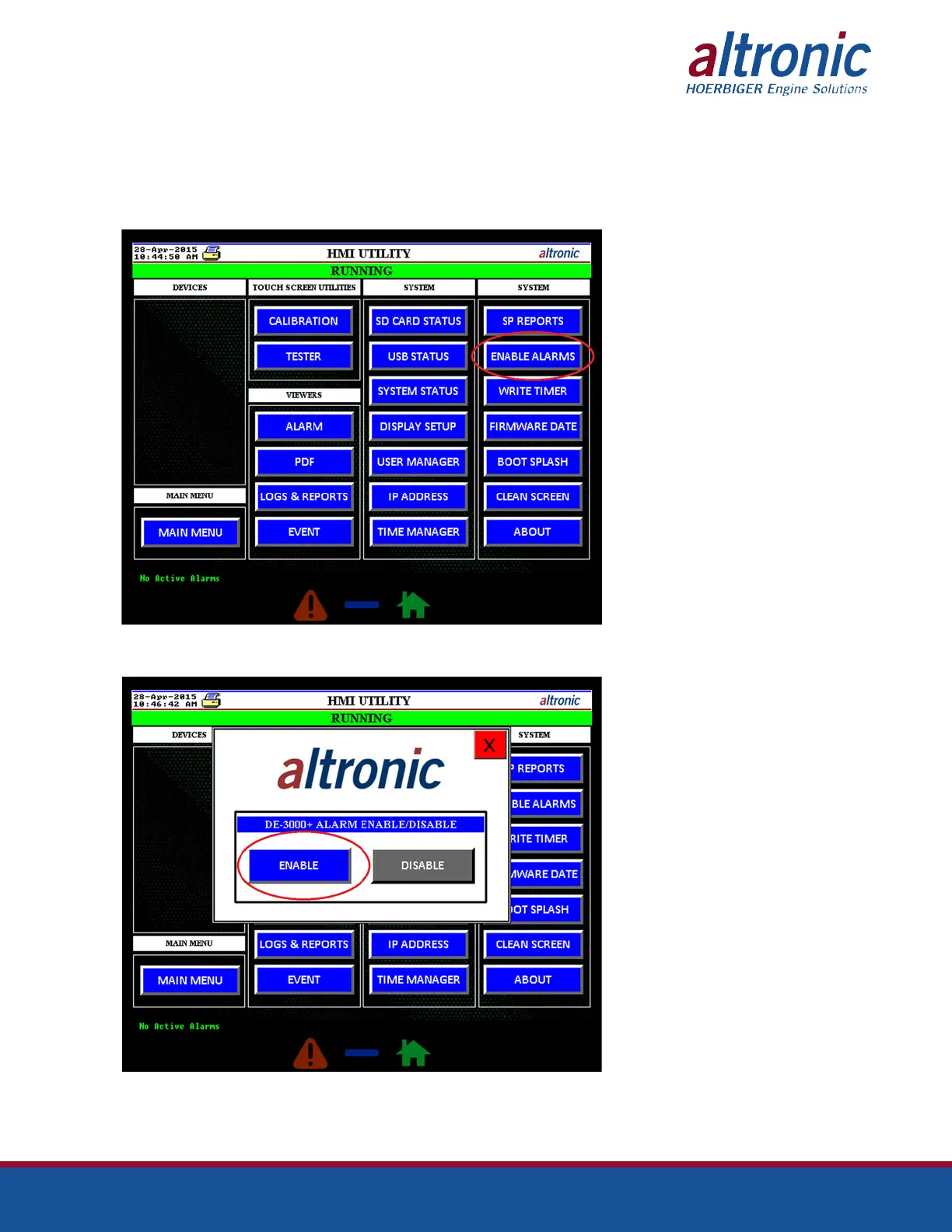
The first step is to enable the alarm on the DE-3000+ system. By default, the
DE-3000+ system have the alarms disabled. To enable, press the “ENABLE
ALARMS” button on the HMI Utility page.
After the credentials are verified, the Alarm Enable/Disable popup screen appears.
Click on the “ENABLE” button to enable the alarms on the DE-3000+ system.


 To Next Page