IPB-5000B
5. Installation and Connection
5-5
(7) Connecting Communication Cable (only for PC connection)
The communication with PC can be performed by the use of RS-232C and RS-
485.
Before coupling with the connector, decide which mode is to be selected, RS-
232C or RS-485 and confirm the communication mode (See 6.(9)(c) COMM
MODE for the selection of RS-232C and RS-485).
Mismatching of the communication mode setting at IPB-5000B with the mode
at PC results in malfunction.
RS-232C is set at the factory shipment.
See 10. External Communication Function for details.
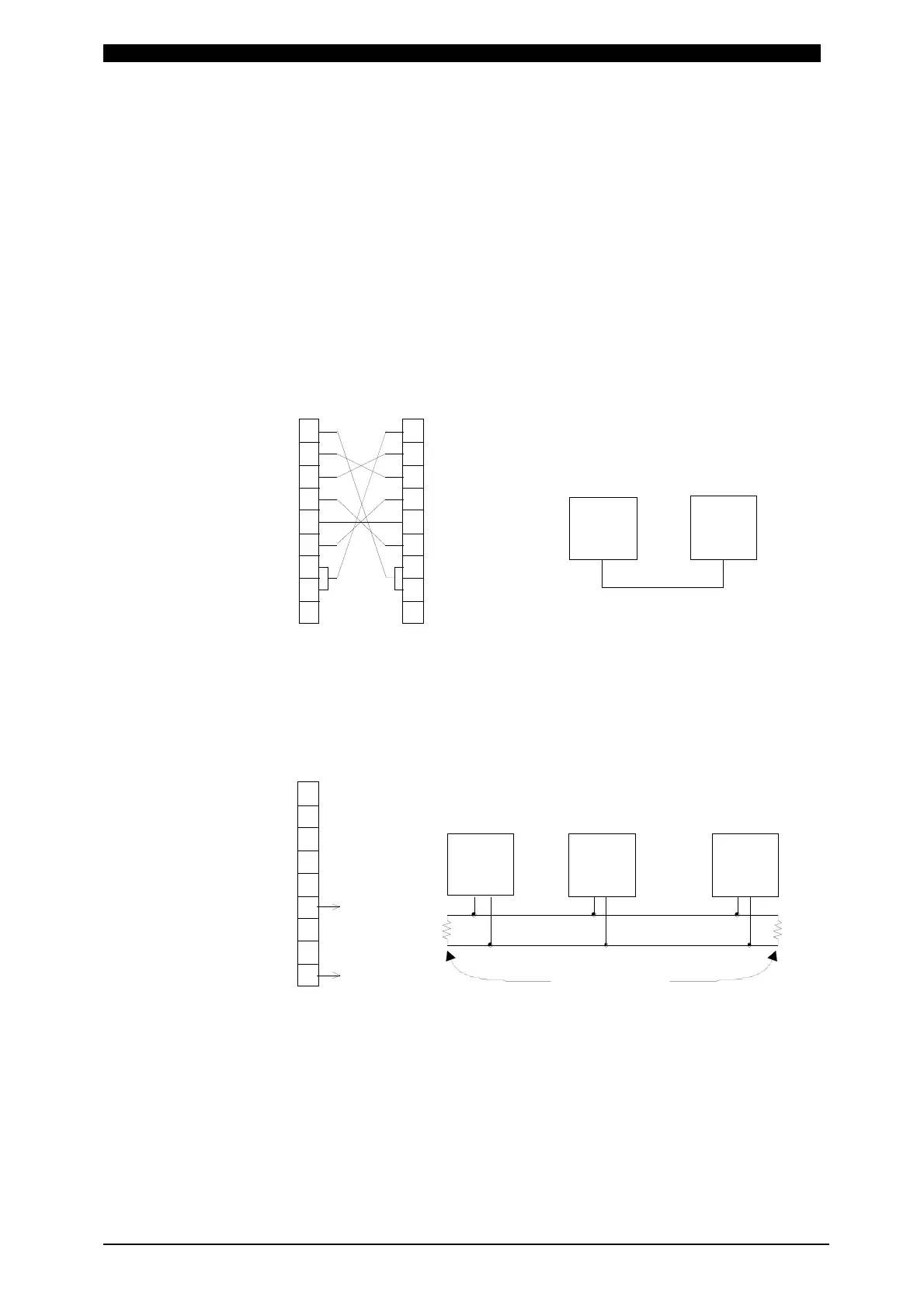
Connection of RS-232C
Connection of RS-485
CD 1
RXD 2
TXD 3
DTR 4
GND 5
DSR 6
RTS 7
CTS 8
9
1
2RXD
3TXD
4
5GND
6
7
8
9
Host Computer
D-Sub 9 Pin
Male
IPB-5000B
RS-232C
Pin No.
D-Sub 9 Pin
Female
Pin No.
Host Computer IPB-5000B
RS+
RS-
Terminal Resistance
100 Ω
1
2
3
4
5
RS+ 6 RS+
7
8
RS- 9 RS-
Host Computer
RS-232C/RS-485
Conversion Adapter
D-Sub 9 Pin
Male
IPB-5000B
Pin No.
IPB-5000B IPB-5000B



 To Next Page