EasyManua.ls Logo

Amana distinctions DHP124A35AA - User Manual

Amana distinctions DHP124A35AA
16 pages
Print Icon
To Next Page IconTo Next Page
Loading...
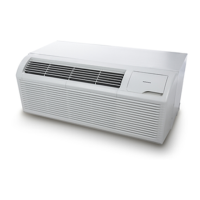
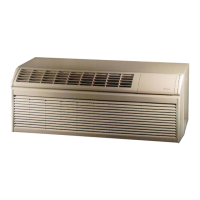
PACKAGED TERMINAL
AIR CONDITIONER / HEAT PUMP
INSTALLATION INSTRUCTIONS
ATTENTION INSTALLING PERSONNEL
As a professional installer you have an obligation to know
the product better than the customer. This includes all safe-
ty precautions and related items.
Prior to actual installation, thoroughly familiarize yourself
with this Instruction Manual. Pay special attention to all
safety warnings.
Often during installation or repair it is possible to place
yourself in a position which is more hazardous than when
the unit is in operation.
Only personnel that have been trained to install, adjust,
service or repair(hereinafter, “service”) the equipment spec -
ified in this manual should service the equipment. The manu -
facturer will not be responsible for any injury or property
damage arising from improper service or service proce -
dures. If you service this unit, you assume responsibility for
any injury or property damage which may result. In addition,
in jurisdictions that require one or more licenses to service
the equipment specified in this manual, only licensed per -
sonnel should service the equipment. Improper installation,
adjustment, servicing or repair of the equipment specified
in this manual, or attempting to install, adjust, service or
repair the equipment specified in this manual without proper
training may result in product damage, property damage,
personal injury or death.
WARNING
Before using your air conditioner, please read this man-
ual carefully and keep it for future reference.
This manual must be left with the owner of the
equipment.
IO-930
05/2022
19001 Kermier Rd., Waller, TX 77424
www.amana-ptac.com
© 2022 Goodman Manufacturing Company, L.P.
is a registered trademark of Maytag Corporation or its related companies and is used under
license to Goodman Company, L.P., Houston, TX, USA. All rights reserved.
Model:
DCP073A25AA
DCP073A35AA
DCP093A25AA
DCP093A35AA
DCP123A35AA
DCP123A50AA
DCP153A35AA
DCP153A50AA
DHP093A25AA
DHP093A35AA
DHP094A35AA
DHP123A35AA
DHP123A50AA
DHP124A35AA
DHP153A35AA
DHP153A50AA


Questions and Answers

  • D
    Deborah MoonAug 8, 2025
    What to do if my Amana Air Conditioner unit does not start?
    • J
      John McbrideAug 8, 2025
      If your Amana Air Conditioner doesn't start, check these potential causes: * Ensure the unit is securely plugged into the wall receptacle and that the plug's test/reset button hasn't tripped. * Replace the fuse if it has blown. * Reset the circuit breaker if it has tripped. * Make sure the unit is turned on using the bottom right button on the keypad.
  • L
    Luis GutierrezAug 13, 2025
    Why is my Amana distinctions DHP124A35AA not cooling or heating the room properly?
    • F
      frileyAug 13, 2025
      If your Amana Air Conditioner isn't cooling or heating the room effectively, consider the following: * Ensure curtains, blinds, or furniture aren't blocking the unit's airflow. * Adjust the temperature setting to a lower or higher temperature. * Clean or replace dirty air filters. * Allow the unit sufficient time to heat or cool the room, especially when starting in excessively hot or cold conditions. Starting early can help maintain comfort. * Close any open vent doors. * Check the dip switch and wall thermostat settings. * If the compressor is in time delay, wait approximately 3 minutes for it to start.
  • L
    laurenmoranAug 17, 2025
    What to do if ice forms on the indoor coil of my Amana Air Conditioner?
    • A
      Alexandra VangAug 17, 2025
      If ice or frost forms on the indoor coil of your Amana Air Conditioner: * If the outdoor temperature is approximately 55°F or below, switch the unit to FAN operation until the ice or frost melts. * Remove and clean the filters, as dirty filters can contribute to ice formation.
  • M
    martinezmatthewAug 23, 2025
    What does compressor protection mean on my Amana distinctions DHP124A35AA Air Conditioner?
    • M
      Mrs. Stephanie JonesAug 23, 2025
      Compressor protection on your Amana Air Conditioner refers to features designed to prevent damage. If the power has cycled, the compressor may be in a restart protection mode. After a power outage, the compressor will restart after approximately 3 minutes. To prevent short cycling, there is a random startup delay and a minimum compressor run time of 3 minutes.
  • P
    Peter FryeAug 28, 2025
    What to do if my Amana Air Conditioner display has strange numbers or characters?
    • V
      Victoria MullinsAug 28, 2025
      If your Amana Air Conditioner display shows strange numbers or characters: * The unit may be in a protection mode. * The unit may be set to display temperatures in °C instead of °F.
  • P
    Phillip PetersSep 2, 2025
    What to do if water is dripping inside my Amana distinctions DHP124A35AA?
    • J
      Joseph CombsSep 2, 2025
      If water is dripping inside your Amana Air Conditioner, the wall sleeve must be installed level to ensure proper condensation drainage. Check the installation and make necessary adjustments to ensure it is level.

Summary

Attention Installing Personnel

Pre-Installation Manual Review

Thoroughly familiarize with manual, pay attention to safety warnings.

Safety Warnings and Cautions

Trained Personnel for Servicing

Only trained personnel should service equipment; manufacturer not liable for improper service.

Important Notes for Owners and Installers

Qualified Technician Requirement for Service

Installation and servicing must be performed by qualified, experienced technicians only.

Installer Responsibility for Customer Safety

Installer's responsibility to install safely and instruct customer on safe use.

Appliance Usage Cautions and Guidelines

Child Safety and Appliance Supervision

Appliance can be used by children aged 8+ with supervision; children shall not play with it.

Supervision for Users with Reduced Capabilities

Not for persons with reduced capabilities unless supervised by a responsible person.

Damaged Supply Cord Mandatory Replacement

Damaged supply cord must be replaced by manufacturer or qualified persons to avoid hazard.

Compliance with National Wiring Regulations

Appliance shall be installed in accordance with national wiring regulations.

General Safety Precautions and Warnings

Preventing Injury and Property Damage

Follow instructions to prevent injury and property damage; incorrect operation may cause harm.

Warning and Caution Symbol Definitions

Warning symbol indicates death/serious injury; Caution symbol indicates injury/property damage.

Authorized Service and Installation Contacts

Contact authorized technician for repair/maintenance and installer for installation.

Proper Power Plug-In Procedure for Safety

Plug in properly to prevent electric shock or fire due to excess heat generation.

Safe Power Plug Operation Practices

Do not operate or stop unit by inserting/pulling power plug to prevent shock or fire.

Power Cord Integrity and Replacement Protocol

Do not damage or use unspecified power cord; replace if damaged by qualified personnel.

Power Cord Modification Prohibition

Do not modify power cord length or share outlet to prevent shock or fire due to heat.

Operation with Wet Hands Prohibition

Do not operate with wet hands or in damp environment to prevent electric shock.

Additional Electrical and Operational Safety

Importance of Effective Earthing for Safety

Always ensure effective earthing; incorrect earthing may cause electric shock.

Prohibition of Unit Disassembly or Modification

Do not disassemble or modify the unit to prevent failure and electric shock.

Preventing Water Contact with Electrical Components

Do not allow water in electric parts to prevent machine failure or electric shock.

Circuit Breaker and Dedicated Circuit Requirement

Always install circuit breaker and dedicated power circuit; incorrect installation causes fire/shock.

Prohibition of Unit Cleaning with Water

Do not clean unit with water; it may enter unit and cause electric shock.

Socket Integrity Check Before Use

Do not use loose or damaged socket to prevent fire and electric shock.

Prohibition of Unit Access During Operation

Do not open unit during operation to prevent electric shock.

Safe Unit Cleaning Procedures

Switch off unit and breaker before cleaning; do not clean with power on.

Power Cord Proximity to Heat Sources Warning

Do not use power cord near heating appliances to prevent fire and electric shock.

Power Cord Proximity to Flammable Substances Warning

Do not use power cord near flammables like gasoline to prevent explosion or fire.

Filter, Cord, and Device Safety Information

Procedure for Water Intrusion into Unit

If water enters unit, turn off, unplug, isolate supply, and contact a qualified technician.

Important Safety Instructions: Current Detection Device

Function of Power Cord Current Detection Device

Power supply cord has a current detection device to reduce fire risk; refer to related section.

Operation of Current Device (Optional)

Control Panel Operation Guide

Dip Switches Configurations (Optional)

Dip Switch Settings and Functional Modes

Table 1: Dip Switch Configurations Summary

Details functions for switches S1-S9 and Sw11, including heating type, display, and protection.

Dip Switches Configuration by Panel Control

Wall Thermostat Terminal Connections (Optional)

Personnel Qualification for Electrical Work

Only trained, qualified personnel should access electrical panel and install accessories.

Unit Installation Procedures

General Unit Installation Guidelines

Measure sleeve dimensions; install unit securely to achieve best performance and avoid vibration.

Unit Damage Hazard from Improper Wiring

Improper wiring may damage unit electronics; common busing is not permitted.

Unit Installation and Placement Details

Securing the Unit in the Wall Sleeve

Lift and slide unit into wall sleeve, secure with screws through flange holes.

Care and Cleaning Procedures

Air Filter Damage and Efficiency Impact

Filter damage reduces efficiency; replace torn/damaged filters immediately.

Troubleshooting Common Operational Issues

Troubleshooting: Unit Fails to Start

Checks for power connection, fuse, circuit breaker, or protection mode issues.

Troubleshooting: Unit Not Cooling or Heating

Addresses blocked discharge, incorrect settings, dirty filters, or compressor delay.

Advanced Troubleshooting Scenarios

Amana distinctions DHP124A35AA Specifications

General IconGeneral
BrandAmana
Modeldistinctions DHP124A35AA
CategoryAir Conditioner
LanguageEnglish

Related product manuals