1-4 www.amano.com/time • 1-800-253-9836 PIX-75
Enable/Disable Atomic Clock Feature (P5 12) ................................................ 24
Ribbon Cartridge Replacement ..................................................................... 25
Parts ........................................................................................................ 26
Error Messages .......................................................................................... 27
PIX-75 Support ......................................................................................... 29
PIX-75 Cleaning ........................................................................................ 30
Resetting Clock After Extended Loss of Power ................................................ 30
PIX-75 Power Modes .................................................................................. 30
PIX-75 Time Display Modes ......................................................................... 30
Wall Mounting Template ............................................................................. 31
PIX-75 Programable Features Summary ........................................................ 31
Warranty Notice ........................................................................................ 33
Warranty Information ................................................................................. 34
Specifications ............................................................................................ 35
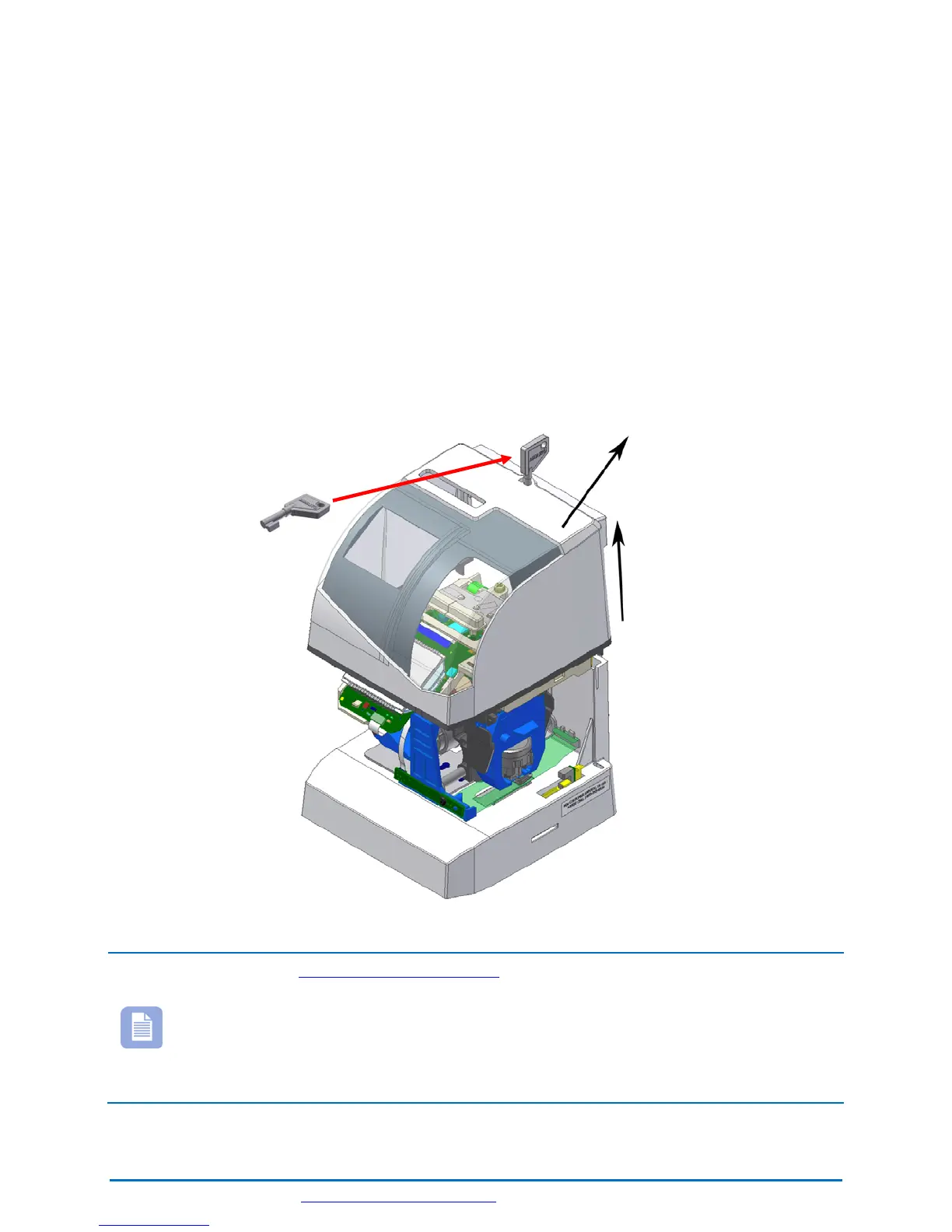
Cover Removal
Note – See www.amano.com/tkb for videos and/or the latest
information about the PIX-75, etc. The printed time format can
be different than display format!!
During the programming modes the clock will not have all features
available to the user. To exit programming (Setup) mode simply put
on the clock cover.



 To Next Page