2-28 www.amano.com/time • 800-253-9836 PIX-75
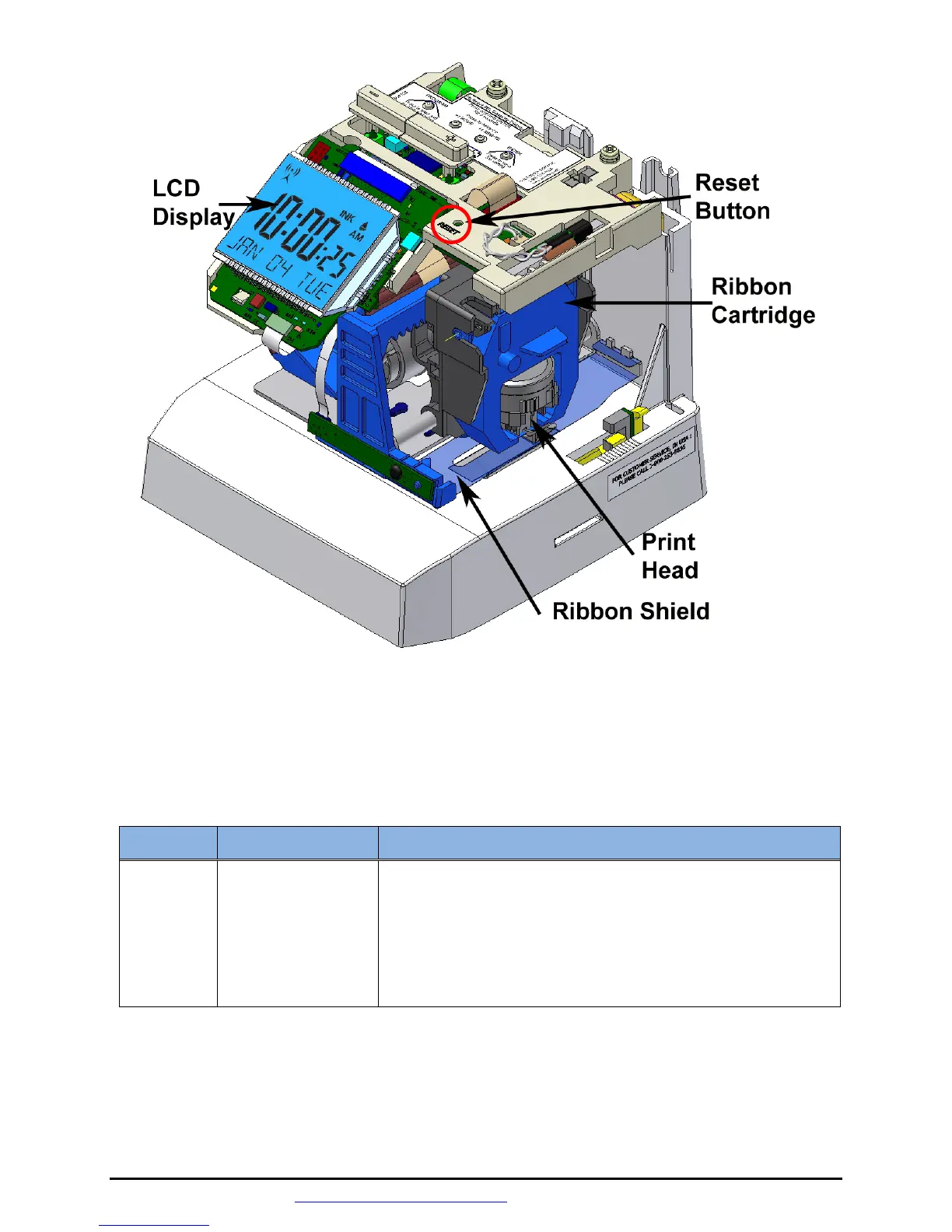
Figure 7: PIX-75 Reset Button Location.
Table: Error Messages
Error Cause Solution
Er 01
Home Position
Error, Carriage
Stuck.
Unlock cover and remove. Set PIX-75 on side
with the ribbon side up. Press the Reset
button to reset the printer carriage and blow
air into the printer platen (see Figure 5 on page
2-23) to remove or dislodge jammed objects
(i.e., staples).



 To Next Page