EasyManua.ls Logo

AmazonBasics B073Q48Z95 - User Manual

AmazonBasics B073Q48Z95
27 pages
Print Icon
To Next Page IconTo Next Page
Loading...
B073Q48Z95
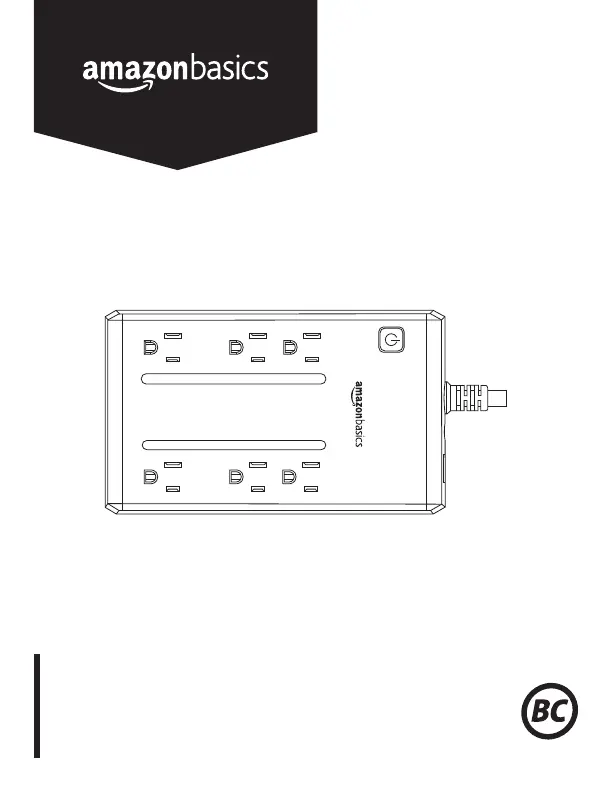
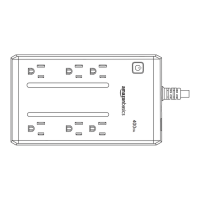
Standby UPS 400VA 255W, 6 Outlets
UPS De Respaldo 400VA, 255 W, 6 Tomas
Alimentation Sans Interruption (ASI) 400 VA 255 W,
6Prises
400VA
K01-1198005-02

Questions and Answers

  • H
    Holly McgrathAug 7, 2025
    Why will my AmazonBasics B073Q48Z95 UPS not turn on?
    • C
      Courtney JuarezAug 8, 2025
      If your AmazonBasics UPS won't turn on, there could be several reasons. First, the on/off switch has a built-in delay to prevent damage from rapid cycling; turn the UPS off, wait 10 seconds, and then try turning it on again. Second, make sure the UPS is properly connected to a 110/120 V 50/60 Hz outlet. Third, the frequency may be outside the operating range of 47-63 Hz; in this case, turn the UPS off, verify the frequency is within range, or try turning it on in battery mode. If none of these steps work, it is possible that the battery is worn out or there is a mechanical problem, and you should contact Amazon.
  • M
    Michael DickersonAug 17, 2025
    Why is my AmazonBasics B073Q48Z95 not providing the expected runtime?
    • L
      lindseybensonAug 17, 2025
      If your AmazonBasics UPS isn't providing the expected runtime, it could be due to a couple of reasons. One possibility is that the battery isn't fully charged; to resolve this, recharge the battery by leaving the UPS plugged in. Another reason could be that the battery is worn out, in which case you should contact Amazon about replacement batteries.
  • C
    Cathy NunezAug 27, 2025
    What to do if AmazonBasics B073Q48Z95 UPS surge protection outlets stop working?
    • S
      Sue WebbAug 27, 2025
      If the full-time surge protection outlets on your AmazonBasics UPS stop providing power, it's likely that the circuit breaker has tripped due to an overload. To fix this: * Turn the UPS off. * Unplug at least one piece of equipment. * Wait 10 seconds. * Reset the circuit breaker by pressing the button. * Turn the UPS back on.

Summary

Basic Operation

Battery and Surge Protected Outlets

Three outlets offer temporary power during outages, with warnings against high-draw devices.

Full-Time Surge Protection Outlets

Three outlets provide continuous surge and line noise protection for peripherals.

Power Switch Functionality

Explains how to turn the UPS on/off and manage the audible alarm using the power button.

Power On Indicator Light

Details the green LED status for normal power and battery mode operation.

Circuit Breaker Protection

Describes the side-mounted circuit breaker for overload and fault protection.

AC Adapter Outlet Design

Highlights two widely-spaced outlets designed to accommodate bulky AC adapters.

Important Safety Warnings

General Safety and Usage Precautions

Crucial safety guidelines for installation, operation, and handling to prevent fire, shock, and damage.

Installing Your UPS System

Unpacking and Initial Inspection

Instructions to check the UPS box contents upon receipt for completeness.

Determining Equipment Power Needs

Guidance on matching connected equipment's power requirements to the UPS capacity for optimal performance.

Hardware Installation Steps

Step-by-step guide for connecting the UPS, charging the battery, and initial power-on procedures.

Definitions For Illuminated LED Indicators

Technical Specifications

Troubleshooting Common Issues

FCC Compliance Information

IC Regulatory Statement

Customer Feedback and Support

AmazonBasics B073Q48Z95 Specifications

General IconGeneral
BrandAmazonBasics
ModelB073Q48Z95
TypeStandby UPS
Input Voltage120V
Output Voltage120V
Batteries1
Battery Recharge Time8 hours
Surge ProtectionYes
Number of Outlets6
Weight12.1 pounds
Battery TypeSealed Lead Acid
Transfer Time6ms (Typical)

Related product manuals