EasyManua.ls Logo

AmazonBasics B073Q48YGF - User Manual

AmazonBasics B073Q48YGF
31 pages
Print Icon
To Next Page IconTo Next Page
Loading...
B073Q48YGF, B073Q3BSPG
Standby UPS 600VA 360W, 8 Outlets,
Standby UPS 800VA 450W, 12 Outlets
UPS De Respaldo, 600VA 360W, 8 Tomas,
UPS De Respaldo, 800VA 450W, 12 Tomas
Alimentation Sans Interruption (ASI) 600 VA 360 W,
8 Prises,
Alimentation Sans Interruption (ASI) 800 VA 450 W,
12 Prises
K01-1198006-00
800VA
600VA

Questions and Answers

  • D
    Daniel SummersAug 7, 2025
    What to do if the AmazonBasics B073Q48YGF UPS will not turn on?
    • R
      Ryan MoralesAug 7, 2025
      If your AmazonBasics UPS unit isn't turning on, there could be several reasons. First, the on/off switch might be preventing rapid cycling; turn the UPS off, wait 10 seconds, and then turn it back on. Ensure the unit is properly connected to a 110/120 V 50/60 Hz outlet. The battery might be worn out, in which case you should contact Amazon about replacement batteries. There may be a mechanical problem, so please contact Amazon. Finally, the frequency may be outside the operating range; turn the UPS off, ensure the frequency is within 47-63 Hz, or try turning the UPS on in battery mode.
  • W
    wendy07Aug 14, 2025
    Why is the Power Management Software inactive on my AmazonBasics B073Q48YGF UPS?
    • S
      Stacey VasquezAug 14, 2025
      If the Power Management Software shows all gray icons, it might be due to the USB connection. First, ensure you're using the USB cable that came with the unit and that it's connected to an open, functioning USB port on your computer. If that doesn't work, try a different USB port. As well, the unit may need to be reset: shutdown your computer and turn the UPS off, wait 10 seconds, and turn the UPS back on.
  • R
    Richard SparksAug 21, 2025
    What to do if AmazonBasics B073Q48YGF full-time surge protection outlets stop providing power?
    • N
      Nathan CollinsAug 21, 2025
      If the full-time surge protection outlets on your AmazonBasics UPS aren't providing power, it's likely that the circuit breaker has tripped due to an overload. To resolve this, turn the UPS off and unplug at least one piece of equipment. Wait 10 seconds, reset the circuit breaker by pressing the button, and then turn the UPS on.
  • D
    Danielle KnappAug 29, 2025
    Why doesn't my AmazonBasics B073Q48YGF perform the expected runtime?
    • J
      Jacob WaltonAug 29, 2025
      If your AmazonBasics UPS isn't performing as long as expected, it could be due to a couple of reasons. The battery might not be fully charged; try recharging it by leaving the UPS plugged in. Alternatively, the battery might be worn out, in which case you should contact Amazon about replacement batteries.

Summary

Welcome Guide

Product Overview

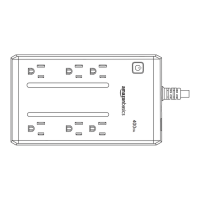
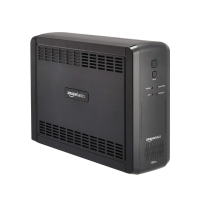
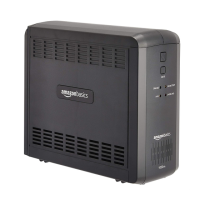
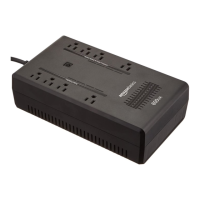
Identifies the Standby UPS models 600VA and 800VA.

Contents List

Lists the components included in the UPS package.

Product Description

Details the physical features and components of the UPS units.

Basic Operation

Outlets Explained

Details battery/surge protected and full-time surge protection outlets, including usage warnings.

Power Switch and Alarm

Instructions for turning the UPS on/off and managing audible alarms.

Status Indicators and Circuit Breaker

Explains the Power On indicator, USB port, and circuit breaker function.

Important Safety Warnings

General Safety and Installation Precautions

Covers manual reading, installation environment, and general operational safety.

Electrical, Fire, and Battery Hazards

Warns about electrical shock, fire, explosion risks, and proper battery handling/disposal.

Usage Restrictions and Warnings

Prohibits use with medical devices, aquariums, and during transportation.

Installing Your UPS System

Unpacking and Contents Verification

Inspect the UPS and box contents upon receipt.

Determining Equipment Power Requirements

Ensure equipment power does not exceed UPS capacity and keep load below 80%.

Hardware Installation Guide

Steps for connecting equipment, charging battery, plugging into wall, and handling overloads.

LED Indicators and Specifications

Illuminated LED Indicator Definitions

Explains the meaning of LED indicators and audible alarms during operation.

Technical Specifications Overview

Details model, capacity, input/output voltage, frequency, and transfer time.

Technical Specifications Continued

Load, Environment, and Physical Specs

Covers surge load, operating environment, dimensions, weight, and battery recharge/life.

Battery Recommendation and Approvals

Lists recommended battery type and safety certifications.

System Function Block Diagram

Troubleshooting

Outlet and Circuit Breaker Issues

Addresses issues with surge protection outlets and tripped circuit breakers due to overload.

Runtime and Power-On Problems

Explains causes for reduced runtime, power-on failures, and frequency issues.

Troubleshooting and Compliance

Power Management Software Issues

Solves issues with inactive power management software, relating to USB connection.

FCC Compliance Information

Details FCC compliance, interference guidelines, and user corrective actions.

Regulatory Statements and Support

IC Regulatory Statement

States compliance with Industry Canada RSS standards.

Feedback and Customer Support

Provides links for customer reviews and support contacts.

AmazonBasics B073Q48YGF Specifications

General IconGeneral
BrandAmazonBasics
ModelB073Q48YGF
CategoryUPS
LanguageEnglish

Related product manuals