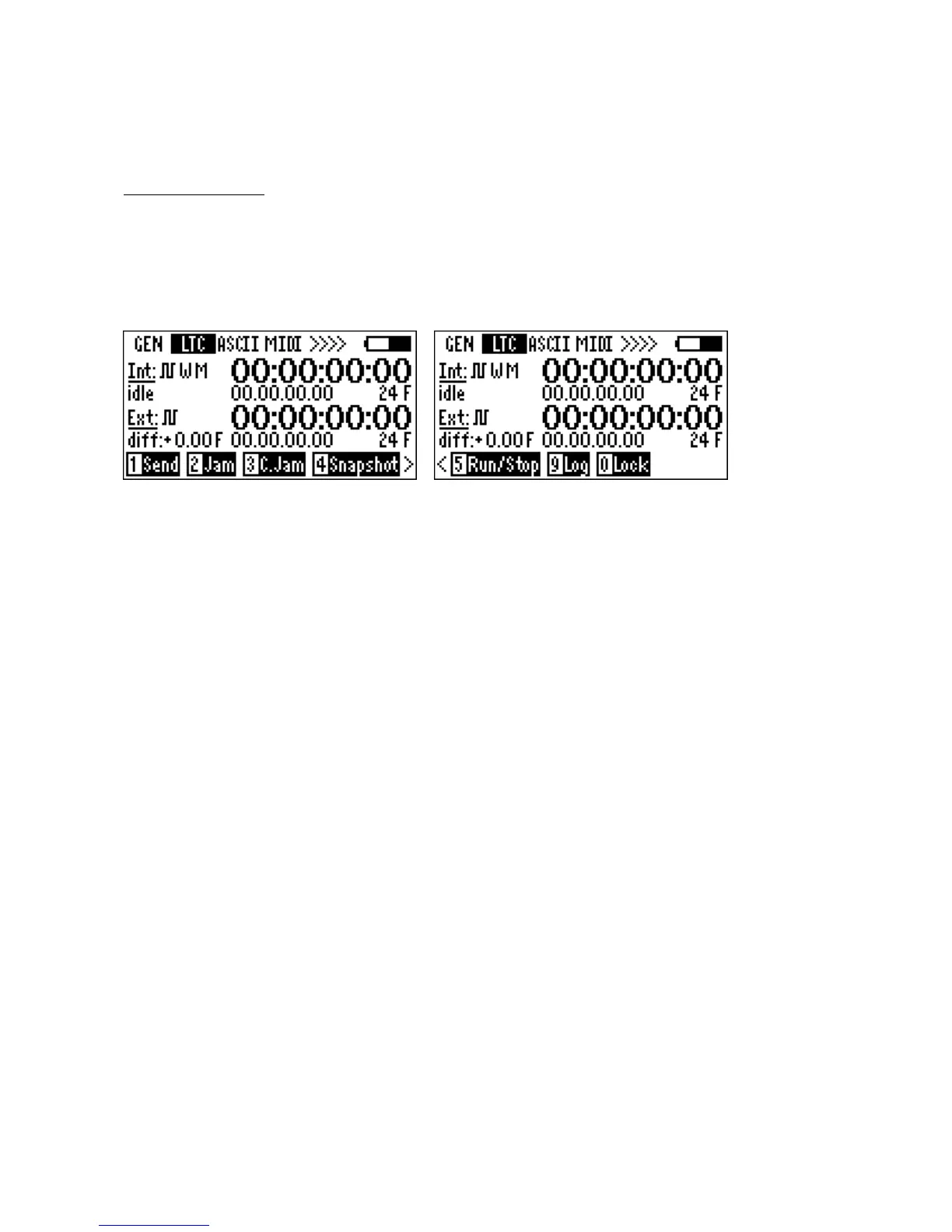
6.3 LTC menu
In this menu the internal and the external LTC are shown including frame rate, user bits and
timecode offset in 1/100 frames.
The menus allow various actions to be taken using the internal LTC generator and the external LTC.
The EXT LTC can be present on the Lemo input, the 3.5mm mini jack or the accessory socket.
Press 1, Send: Connects LTC to all TC out pins
A square wave icon appears next to Int. Press again to disconnect
Press 2, Jam: Jams the internal generator once to the external LTC
Select: 1: Time / 2: User bit / 3: Both
The frame rate is not changed. This allows time transfer from one frame rate to the other. No time
error when jamming between integer frame rates or between pull down frame rates.
Incremental errors will occur if say 24 Fps external is used to jam 23.976 or 29.97 internal. When drop
frame rates are jammed to non-drop rates timecode offsets will occur.
Use non-drop timecode for location recording.
Press 4, Snapshot: Freezes display
Use when one needs to note TC values. Press again to release. Notre: all functions carry on. Only the
display is frozen.
Press 5, Run/Stop: Stops and runs the timecode generator
This is a test mode and will stop the generator and restart it. To avoid inadvertent stopping of the
generator ENTER must be pressed to activate. This feature can be used to test other timecode
equipment. When restarting the generator after stopping, Idle will be show, to indicate that the
generator is not jammed to any source.
Please note: Time will be lost if Run, Stop is pressed. To retrieve timecode reset
generator from the aux generator in the GEN menu.
Press 0, Lock: Locks out keypad. Release with shift + lock.



 To Next Page