5: USB Port Settings:
USB Port 1 can be set to:
Standard mode (Ambient XDOP):
Used for programming and computer connection
Sony P2:
On the virtual COM Port that appears in your hardware settings when the ACC501 is connected, a Sony
P2 protocol is being emulated. Thus the ACC501 can be recognized by editing programs (AVID express,
Media Log) as a virtual machine and the timecode be used for logging etc.
Please note: The Com-Port drivers (PC) / extensions (Mac) matching your system need to
be installed to use option 2.
Download from:
http://www.silabs.com/products/mcu/pages/usbtouartbridgevcpdrivers.aspx
GPS NMEA – Serial Interface
A GPS module connected via the Ambient Serial Interface can be controlled from a computer through
USB 1.
Please note: Prior to use any GPS function always verify that the GPS receiver emits
valid data in menu CONF > 6: GPS.
Also, do not activate loop through by USB mode when planning manual GPS offset
control as per 6. or when using GPS to tune or set the generator.
6: GPS Extension:
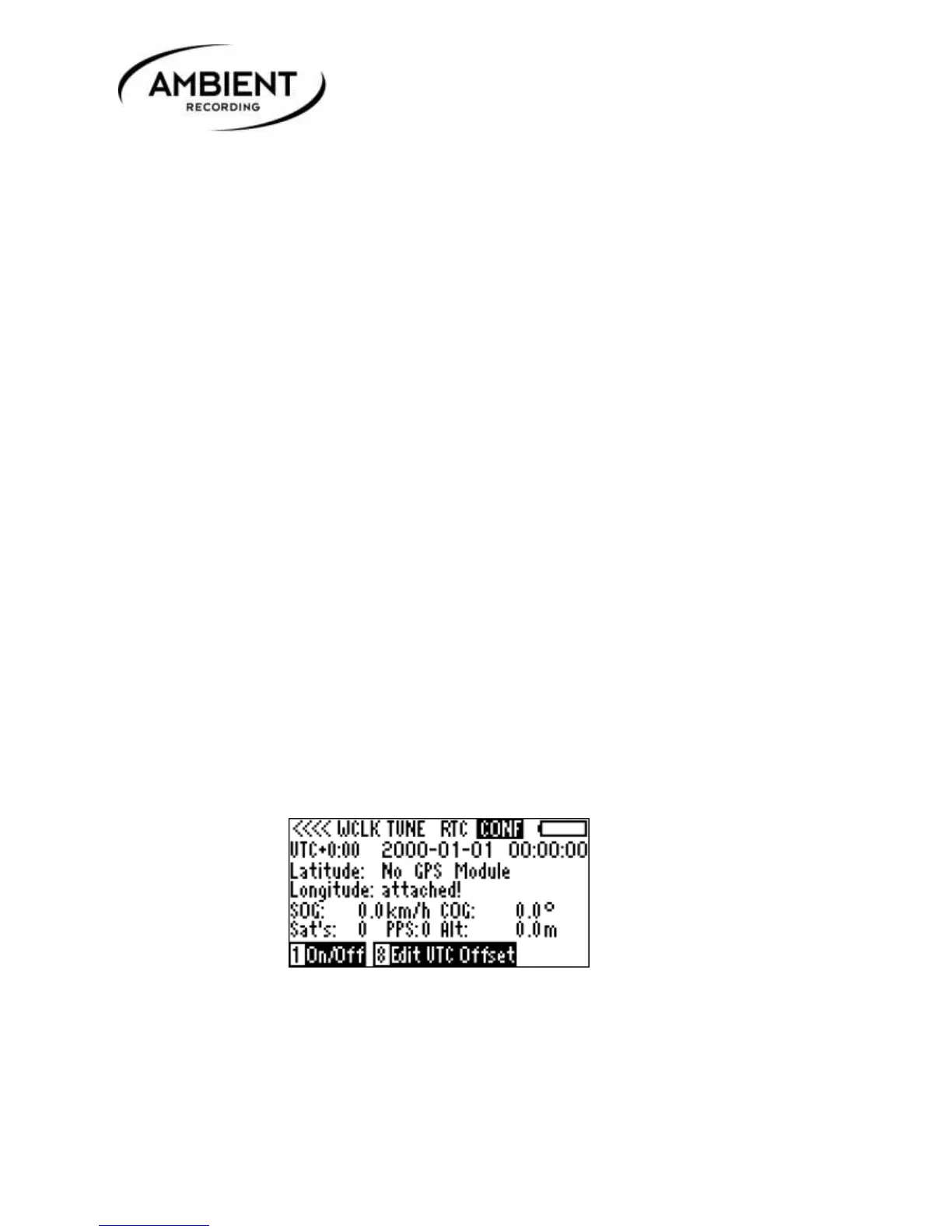
When no ACCSI (Ambient Serial Interface)is connected to the ACC501, the message “No GPS Module
attached” is displayed in the fields for longitude and latitude:
If a ACCSI with GPS receiver is connected to the ACC501, it is powered off by default. “GPS module is
switched off” will be displayed in the fields for longitude and latitude:



 To Next Page