18Lockit+ Users manual |
9.4 Sound Recorder
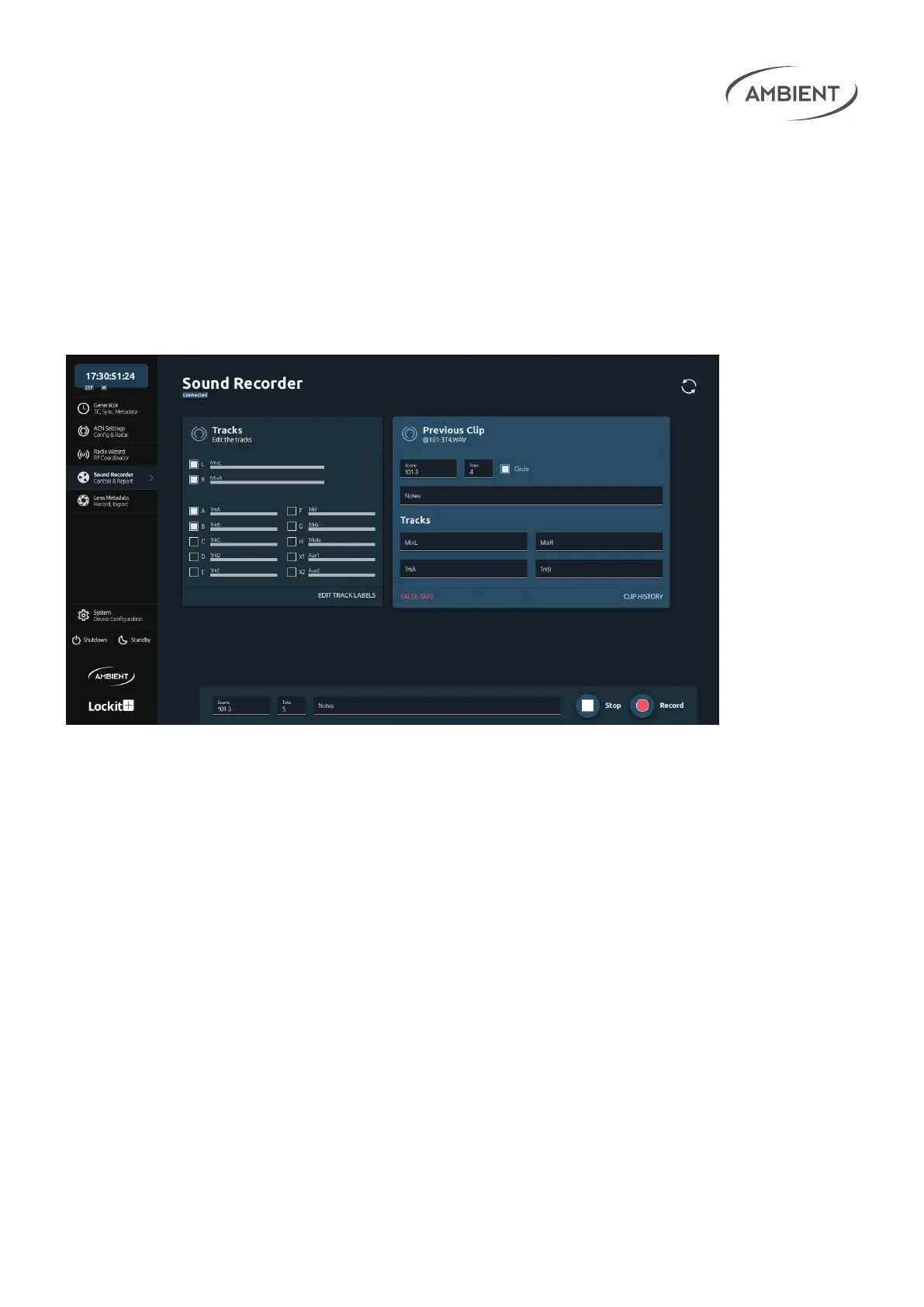
Use the web interface of the Lockit+ to remotely control your Sound Devices
6 or 7 series recorders. When congured correctly you can prepare and edit
scene, take, notes, arm and rename tracks, remote roll your recorder, circle
takes and, in the end, create comprehensive sound reports.
Note: the available options and behavior strictly depend on the protocol made
available by Sound Devices. For example, reading meter status is only available
for 788T.
For series 7 connect the cable MLC-CL (A80339) from the Blue ACN connector
to the C.Link-in port. For series 6 connect the cable MLC-HID from the Blue
ACN connector to the USB-A port.
Now you can enable the data connection to your Sound Devices Recorder by
choosing "metadata device" in the Blue ACN Connector panel within the Gen-
erator menu.
Note: a separate timecode cable is needed to jam timecode to your Sound Devices
recorder. Please set the timecode to "external" in the menu of your Sound Devices
recorder.


 To Next Page