Need help?
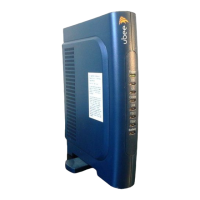
Do you have a question about the Ambit U10C018 and is the answer not in the manual?
Details the features of the cable modem for accessing the internet.
Instructions on contacting the cable service provider for account activation.
Guidance on preparing the physical environment for cable modem setup.
Lists items included in the package and those required for installation.
Instructions to run the setup.exe program before connecting the USB cable.
Steps to connect the cable modem to the computer, wall outlet, and power.
Detailed steps for installing software drivers in Windows 98 SE.
Detailed steps for installing software drivers in Windows Me.
Detailed steps for installing software drivers in Windows 2000.
Detailed steps for installing software drivers in Windows XP.
Guidance for resolving issues encountered during USB installation and driver setup.
Procedure to remove the installed USB driver from the computer.
Steps to connect the cable modem via the Ethernet port to the computer and wall outlet.
Troubleshooting steps for issues related to Ethernet installation and connectivity.
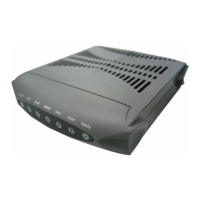
Explanation of the indicator lights on the front panel of the cable modem.
Description of the connectors located on the rear of the cable modem.
Steps to access and use the cable modem's web-based user interface.
 General
| Max Download Speed | 343 Mbps |
|---|---|
| DOCSIS Standard | DOCSIS 3.0 |
| Ethernet Ports | 1 |
| USB Ports | 0 |
| Wireless | No |
| Model | U10C018 |

 To Next Page