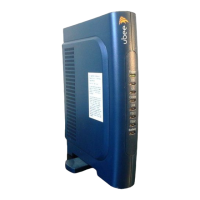
User’s Guide
2
Contents
1. BEFORE YOU BEGIN ...........................................................................................................4
Understand the Cable Modem’s Features...........................................................................................................4
Contact Your Local Cable Operator....................................................................................................................4
Prepare Your Area for Cable Modem Installation .............................................................................................5
Gather Supplied and Required Items..................................................................................................................5
2. INSTALLING THE CABLE MODEM USING THE USB PORT ....................................6
Installing the Hardware ........................................................................................................................................8
Installing the Software Drivers.............................................................................................................................9
Installing the Software Drivers in Windows 98 SE Operating System............................................................9
Installing the Software Drivers in Windows Me Operating System ............................................................. 15
Installing the Software Drivers in Windows 2000 Operating System........................................................... 18
Installing the Software Drivers in Windows XP Operating System.............................................................. 22
Troubleshooting the USB Installation............................................................................................................... 24
Uninstalling the USB Driver .............................................................................................................................. 26
3. INSTALLING THE MODEM USING THE ETHERNET PORT...................................27
Installing the Hardware ..................................................................................................................................... 27
Troubleshooting the Ethernet Installation ....................................................................................................... 28
4. CABLE MODEM LEDS AND CONNECTORS ...............................................................30
LEDs on the Front of the Modem ..................................................................................................................... 30
Connectors on the Back of the Modem............................................................................................................. 32
5. WEB USER INTERFACE....................................................................................................32
Accessing the Web User Interface ..................................................................................................................... 32


 To Next Page