User’s Guide
11
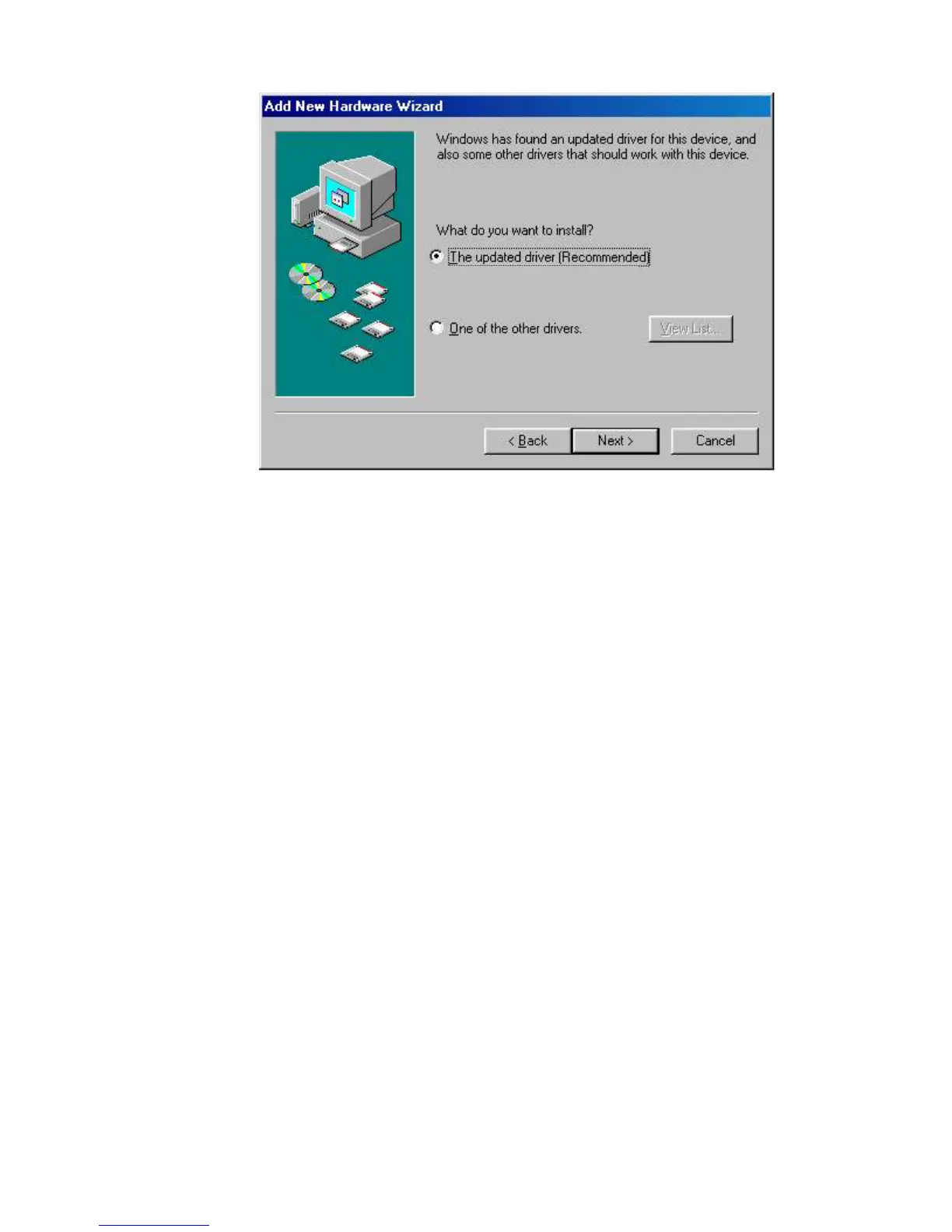
5. Select the updated driver (Recommended) Ambit USB Cable Modem Windows Driver and
click next. You will see the following screen.
CAUTION: You must verify that Ambit USB Cable Modem appears on the screen. If
USB Composite Device appears, you must click Back twice and specify the correct
location of the driver files. DO NOT proceed if USB Composite Device is displayed in the
above window. Contact your cable provider for further assistance.
Ambit USB Cable Modem


 To Next Page