Technical Information
57
MBRELL
-
-
Precision Induction Heating
3
3
.
.
5
5
T
T
a
a
p
p
A
A
d
d
j
j
u
u
s
s
t
t
m
m
e
e
n
n
t
t
Under certain heating conditions, EASYHEAT may ‘suggest’ or require changing your RF
transformer tap settings (§2, Advisories...). For example:
‘Increase…’ means a higher tap number; ‘Decrease…’ means a lower tap number.
You can ignore this suggestion if:
your heating results are satisfactory
the * is displayed only when there is no part in the coil
during HeatOn, an asterisk * is shown on
the display. To read the message,
press for Status
There may be a message like this:
►250A 234.00s
220A *190kHz
HS65F AM72F
Increase Tap
Tap 8 10 12 14 16 18 20 22 24
Wire
X A F E F F
Y C G B D C C G B D
Cu F-H & G-J G-H
K J C A C B A C A C
Tap 26 28 30 32 34 36 38 40 42
Wire
X F F E
Y C C J B D C C D D
Cu G-H
K B A C A C B A B A
H G A
F J B
E D C
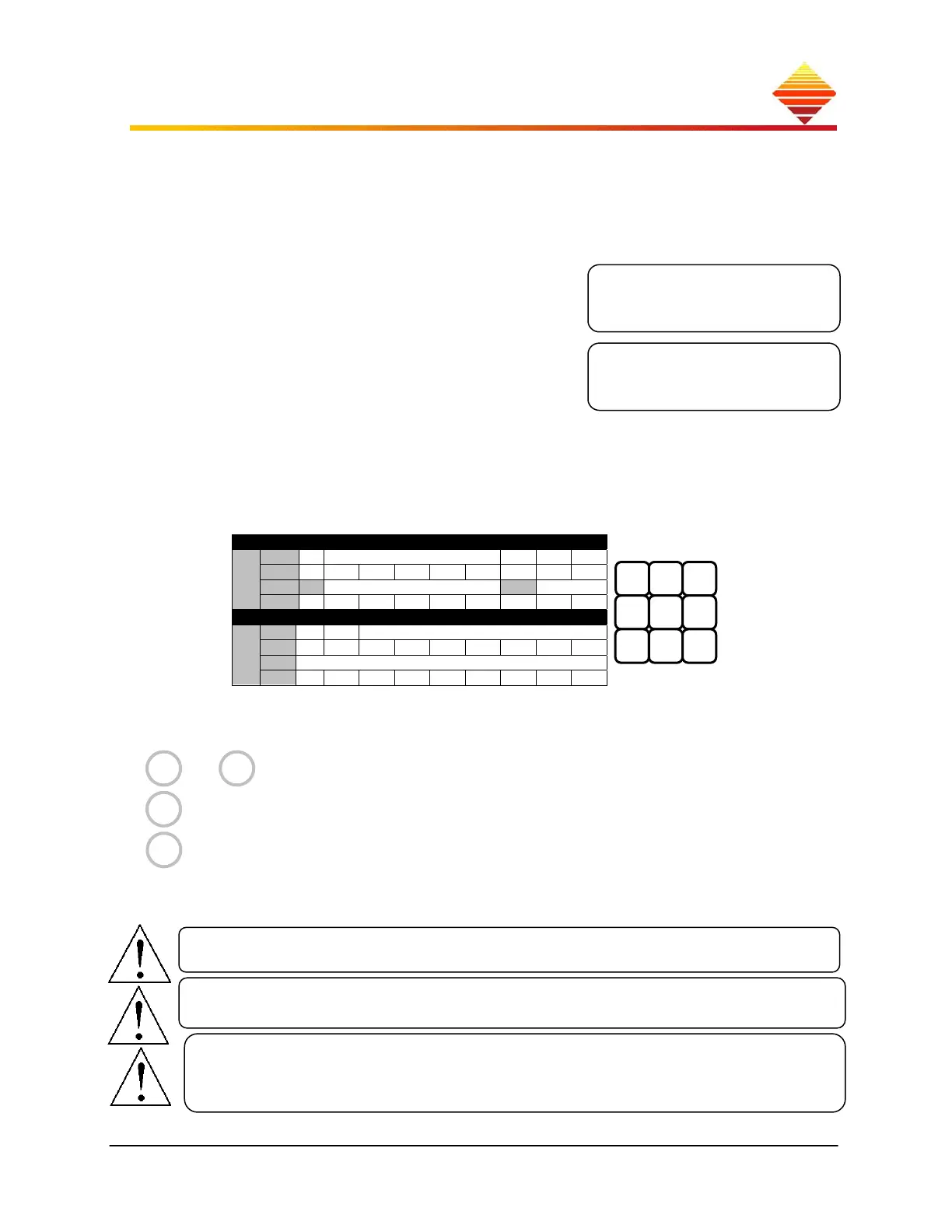
Tap adjustments are made with 3 wires (X, Y, K) and jumper(s) (Cu), which are attached as
needed in a 3x3 terminal block:
X
and
Y
deliver power from the supply
K
selects a winding scale
Cu
completes winding selection (see next page to find tabs)
Each of these connections and menu setting must be made for the work head to work properly.
Compare the position of the wires with the table to determine the TAP setting.
Work heads are labeled per model; this example may differ from yours.
If your unit cannot meet Setpoint and a Tap change is indicated, you must adjust Tap
Whenever you are unsure about the correct tap selection for your application,
follow this rule: begin with highest tap, work down. Beginning from the highest
transformer taps presents the least stress to the EASYHEAT.



 To Next Page