How Your EASYHEAT Works
18
Precision Induction Heating
MBRELL
®
-
-
2
2
.
.
1
1
H
H
o
o
m
m
e
e
Z
Z
o
o
n
n
e
e
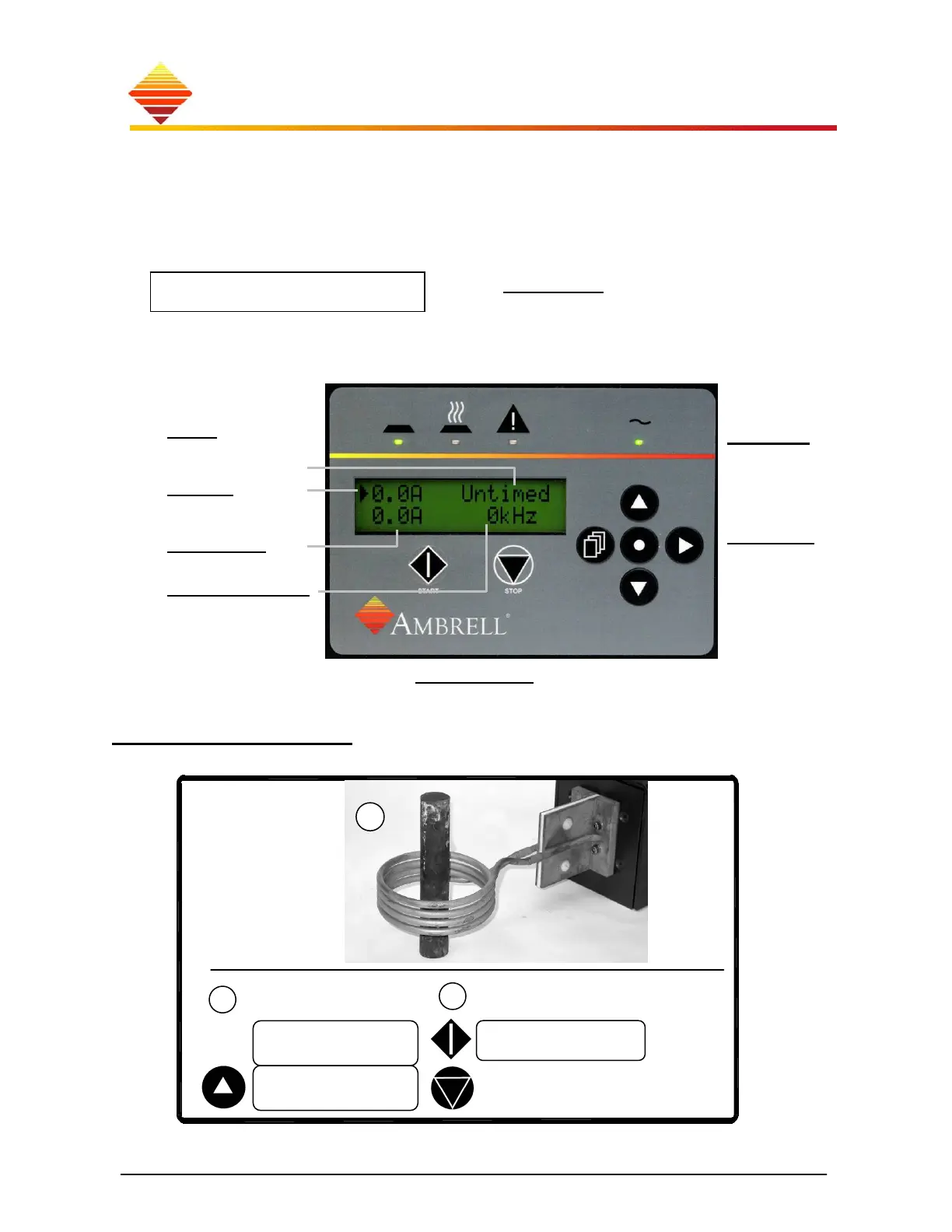
When you turn it on, EASYHEAT operates in the Home zone (illustration). Within this
zone, you can adjust output levels, set the timer and turn RF power on and off:
Simplest example…
In this example, you heat the part at 100A output.
►0.0A Untimed
0.0A 0kHz
►100.1A Untimed
0.0A 0kHz
►100.1A Untimed
100.1A 100kHz
1
3
○
Ready HeatOn Fault
○ ○
Ready HeatOn Fault
2
○ ○
Ready HeatOn Fault
2
Timer
cycle or continuous
Setpoint
required output level
Output level
(A, W, % or units)
Output frequency
Status LEDs
indicate what your EASYHEAT is doing:
READY: waiting to heat; no faults detected
HEAT ON: power is being output
FAULT: heating interrupted, fault detected
AC Power
indicates your
EASYHEAT is
turned on
Navigation
to program and
confi
ure
Home Zone Display
START/STOP
to initiate heating from front panel



 To Next Page