Introduction
8
Precision Induction Heating
MBRELL
®
-
-
1
1
.
.
2
2
F
F
r
r
o
o
n
n
t
t
a
a
n
n
d
d
R
R
e
e
a
a
r
r
P
P
a
a
n
n
e
e
l
l
s
s
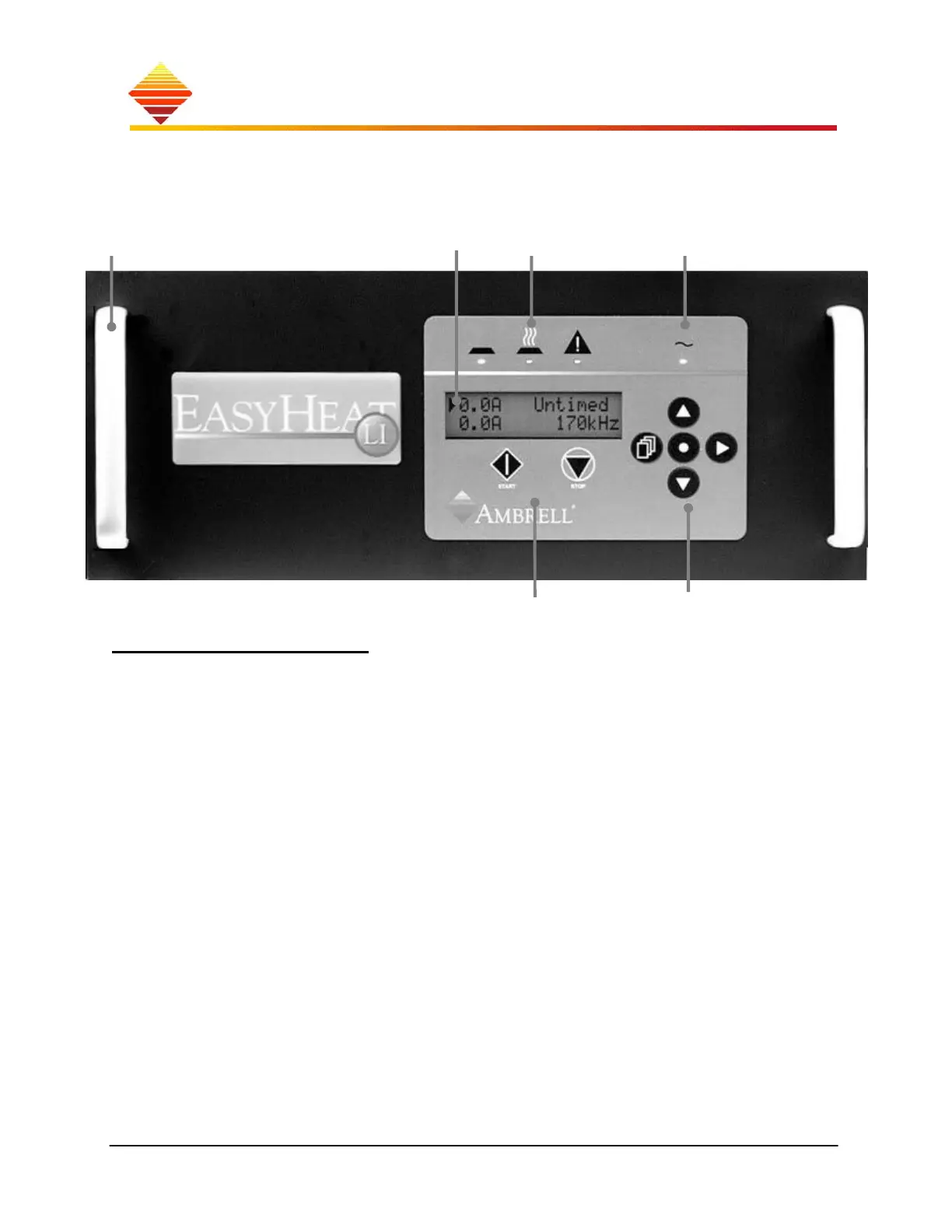
Touch-pad & Display
All user-interface is conducted here
Status LEDs indicate what your EASYHEAT is doing
AC indicator is lighted when unit is turned on
LCD display provides operating information, navigation/programming prompts
START/STOP buttons enable front panel control of heating
navigation buttons are used to program and control the unit
Handles
Status Display AC indicator
START/STOP Navigation



 To Next Page