20
User’s manual
EN
USE AND OPERATION
REQUIREMENTS FOR USE
Important
-
When using the robot for the rst time, carefully read the entire manual and be sure to fully understand
it, especially the safety recommendations.
-
Only use the robot for its intended purpose as described by the Manufacturer and do not tamper with
any device to obtain different operating performances.
-
Do not use the robot and its peripheral units in bad weather conditions, especially when there is a risk
of lightning.
DESCRIPTION OF CONTROL PANEL AND MENU OVERVIEW
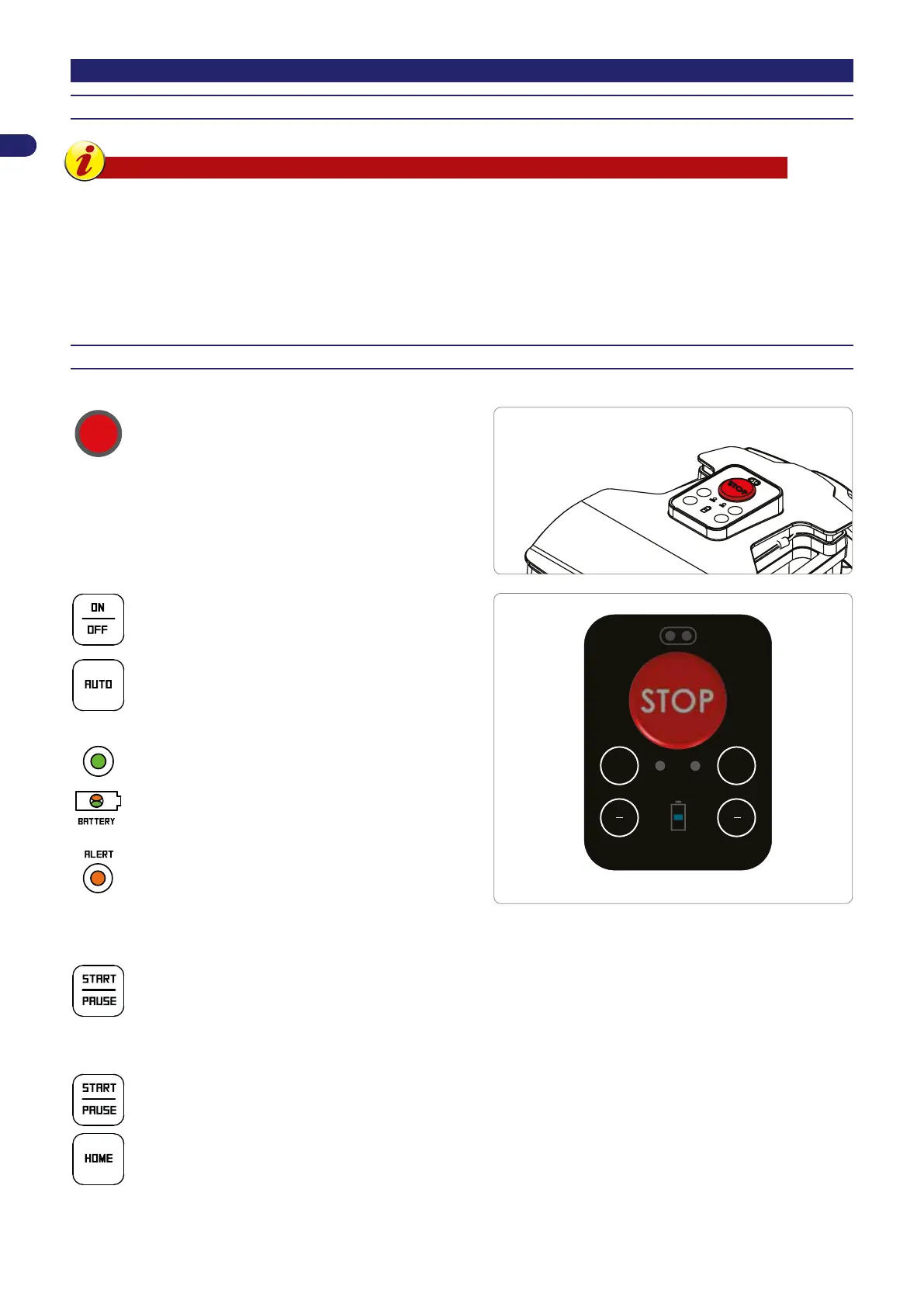
The illustration shows the location and function of the controls on the machine.
STOP
STOP.
Press to stop the robotic mower safely. Only use in
case of imminent danger and to perform maintenance
on the robot.
Press to turn the robot on and off.
auto home
start
pause
ON
OFF
auto ALERT
Press to enable or disable automatic operation.
When in automatic mode, the robot is programmed
to work according to the program described in the
following pages.
AUTO
Off: Manual operation.
Fixed on: Automatic operation.
Battery charge level.
Operating errors. Refer to the chapter
“TROUBLESHOOTING”
Robot in charging station (AUTO LED off)
Press to start a manual work cycle. If the battery is sufciently charged and the AUTO LED is off, the robot starts a
work cycle. When the work cycle is completed, it goes back to the charging station.
Robot in the garden
When the robot is moving, this suspends the mowing operation and places the robot in stand-by mode.
With the robot in Stand-by, this allows resuming the mowing operation.
Returns to the charging station and resumes automatic or manual operations depending on the status of the “AUTO”
LED.



 To Next Page