32
User’s manual
EN
Problem Cause Remedies
Fixed orange light
Irrecoverable error.
Turn the robot off and on.
If the problem persists, contact your nearest
authorised service centre.
The led
(c) does
not turn on
No power supply
Make sure the power supply unit is correctly
connected to the power outlet
Interrupted fuse
Have the fuse replaced by your nearest
authorised service centre
The
transmitter
LED (C)
is on
Interrupted perimeter wire
Stop the robot safely (see “Robot Safety Stop”).
Disconnect the power plug from the power
supply unit. Join the perimeter wire
PART REPLACEMENT
RECOMMENDATIONS FOR REPLACING PARTS
Important
Replace and repair any parts according to the manufacturer’s instructions, or contact the service centre if
these operations are not included in the manual.
BATTERY REPLACEMENT
Important
Replace the batteries at an authorised service centre.
BLADE REPLACEMENT
1. Stop the robot safely (see “Robot Safety Stop”).
Important
Use protective gloves to prevent injuries to your hands.
For replacement, use only the original blade suitable for the device.
Model: A015DE0, A020DE0, A020EL0
Cutting blade code: L20Z01000A
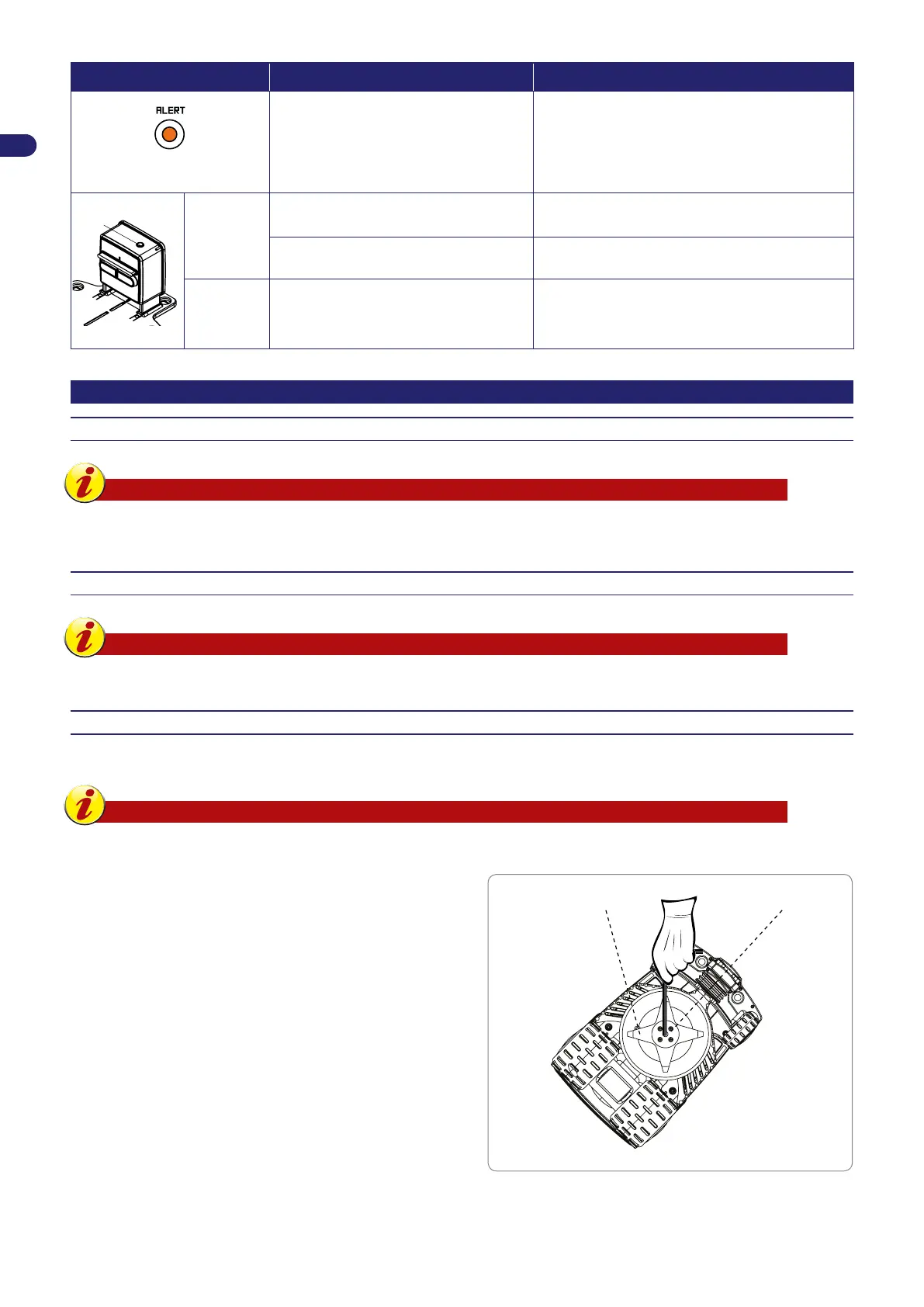
2. Turn the robot over and position it so as not to ruin the covering
hood.
3. Unscrew the screws (B) to remove the blade (A).
4. Insert a new blade and fasten the screws.
5. Turn the robot back over to its operating position.
(C)



 To Next Page