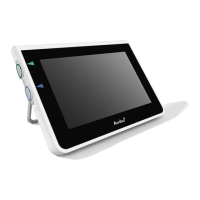
Ambu is a registered trademark and aScope and aView are trademarks of Ambu A/S.
Contents
1. Important information – Read before use ......................................................................................................... 5
1.1. Intended use ....................................................................................................................................................................................... 5
1.2. Indications for use ............................................................................................................................................................................. 5
1.3. Intended patient population.........................................................................................................................................................5
1.4. Intended user prole ........................................................................................................................................................................ 5
1.5. Clinical benets .................................................................................................................................................................................. 5
1.6. Contraindications .............................................................................................................................................................................. 5
1.7. Potential adverse events ................................................................................................................................................................. 5
1.8. General notes ...................................................................................................................................................................................... 5
1.9. Warnings and cautions .................................................................................................................................................................... 5
2. Device description ...............................................................................................................................................7
2.1. Displaying unit parts ........................................................................................................................................................................ 7
2.2. Product compatibility ...................................................................................................................................................................... 7
2.3. Description of components ........................................................................................................................................................... 8
2.4. Spare parts ........................................................................................................................................................................................... 9
2.5. System overview .............................................................................................................................................................................. 10
3. Explanation of symbols used ............................................................................................................................10
4. Getting started ..................................................................................................................................................11
4.1. First-time setup ................................................................................................................................................................................11
4.2. User proles ...................................................................................................................................................................................... 13
4.3. General settings ...............................................................................................................................................................................14
4.4. Mounting the displaying unit on a pole ................................................................................................................................14
4.5. Battery and power ...........................................................................................................................................................................15
5. Network setup....................................................................................................................................................15
5.1. Wi-Fi and LAN/Ethernet setup ....................................................................................................................................................15
5.2. PACS and Worklist setup ...............................................................................................................................................................18
6. Operating the displaying unit ..........................................................................................................................20
6.1. Preparation and inspection of the displaying unit before use .......................................................................................20
6.2. Setting up endoscope button conguration ........................................................................................................................21
6.3. Starting and stopping a procedure...........................................................................................................................................22
6.4. Procedure workow using the Worklist ..................................................................................................................................22
6.5. Overview of Live View functions ................................................................................................................................................22
6.6. Using image adjustments.............................................................................................................................................................23
6.7. Using the stopwatch ......................................................................................................................................................................25
6.8. Using Dual View ...............................................................................................................................................................................25
6.9. Taking photos and recording videos ........................................................................................................................................ 25
6.10. Current procedure folder ...........................................................................................................................................................26
6.11. After use of the displaying unit ................................................................................................................................................ 26
7. File handling in the Archive .............................................................................................................................. 27
7.1. Accessing les in the Archive ...................................................................................................................................................... 27
7.2. Exporting les to PACS server or USB ash drive ................................................................................................................. 27
7.3. Deleting les from the Archive ...................................................................................................................................................29
8. Connect external equipment ............................................................................................................................30
8.1. Connecting to an external monitor ..........................................................................................................................................30
8.2. Connecting USB ash drives........................................................................................................................................................30
8.3. Connecting an audio device .......................................................................................................................................................30
8.4. Printing images via external medical printer ........................................................................................................................31
9. System information and software updates/upgrades....................................................................................31
9.1. Device information page ..............................................................................................................................................................31
9.2. Software updates/upgrades ........................................................................................................................................................ 32
9.3. Reporting a problem ...................................................................................................................................................................... 32
9.4. Data reset ...........................................................................................................................................................................................32
10. Cleaning and disinfection of the displaying unit ..........................................................................................33
11. Maintenance ....................................................................................................................................................34
11.1. Maintenance of battery ..............................................................................................................................................................34
12. Disposal ............................................................................................................................................................35
13. Technical product specications .................................................................................................................... 35
13.1. Standards applied ......................................................................................................................................................................... 35
13.2. Specications for aView 2 Advance ........................................................................................................................................35
13.3. Specications for aView 2 Advance bracket ........................................................................................................................36
13.4. Specications for aView 2 Advance power supply ...........................................................................................................36
14. Troubleshooting .............................................................................................................................................. 37
15. Warranty and replacement ............................................................................................................................. 39
Appendix 1. Electromagnetic compatibility .......................................................................................................40
Appendix 2. Radio frequency compliance ...........................................................................................................42
Appendix 3. Cybersecurity....................................................................................................................................45
Appendix 3.1. Network setup .............................................................................................................................................................45
Appendix 3.2. Data at rest and in transit .........................................................................................................................................46
Appendix 3.3. Software Bill Of Materials (SBOM) ......................................................................................................................... 47
4



 To Next Page