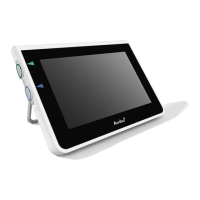
Overview of the existing ports and their communication protocols
Item Standards
used
Comments
LAN
communication
IEEE 802.3
IEEE 802.3ab
IEEE 802.3az
PICMG3.1
The device uses a standard Gigabit Ethernet
controller supporting a 1000base-T interface.
Access test ICMP/ping Allowing ease-of-discovery for hospital IT infrastructure.
Network adaptor
configuration
DHCP Only configurable through DHCP. Special
configurations for the network adapter such as
static IP are currently not supported.
Re-routing The device does not support re-routing traffic from
Wi-Fi to LAN or vice versa, therefore the device cannot
act as a NAT (Network Address Translation) gateway.
PACS servers DICOM To support a broad range of network infrastructures
and PACS servers, the device supports DICOM
without CMS (Cryptographic Message Syntax)
encryption for transporting photo(s) and video(s) to
the PACS server.
Ports There are no open ports, the device firewall only
accepts TCP responses for DICOM and replies to
ICMP ping requests.
Note: There are no open ports, the device firewall only accepts TCP responses for DICOM and replies to ICMP
ping requests.
Appendix 3.2. Data at rest and in transit
The displaying unit uses SQLite3 databases to secure information about the scopes,
procedures and network configurations. The SQLite database is not accessible from the GUI,
but photos, videos and a limited log can be exported to a PACS server and/or USB device.
The following exportable data are stored:
Item Format Comments
Photos DICOM object/PNG
Video DICOM object/MP4
(h.264)
Ambu
Application log
Clear-text format The log files exported are mainly for
troubleshooting purposes by Ambu staff, in
case you encounter problems with the
displaying unit.
The files are compressed in a format more
secure than Windows standard compression
function. Unzipping the data requires a third-
party tool (e.g., 7-zip).
46



 To Next Page