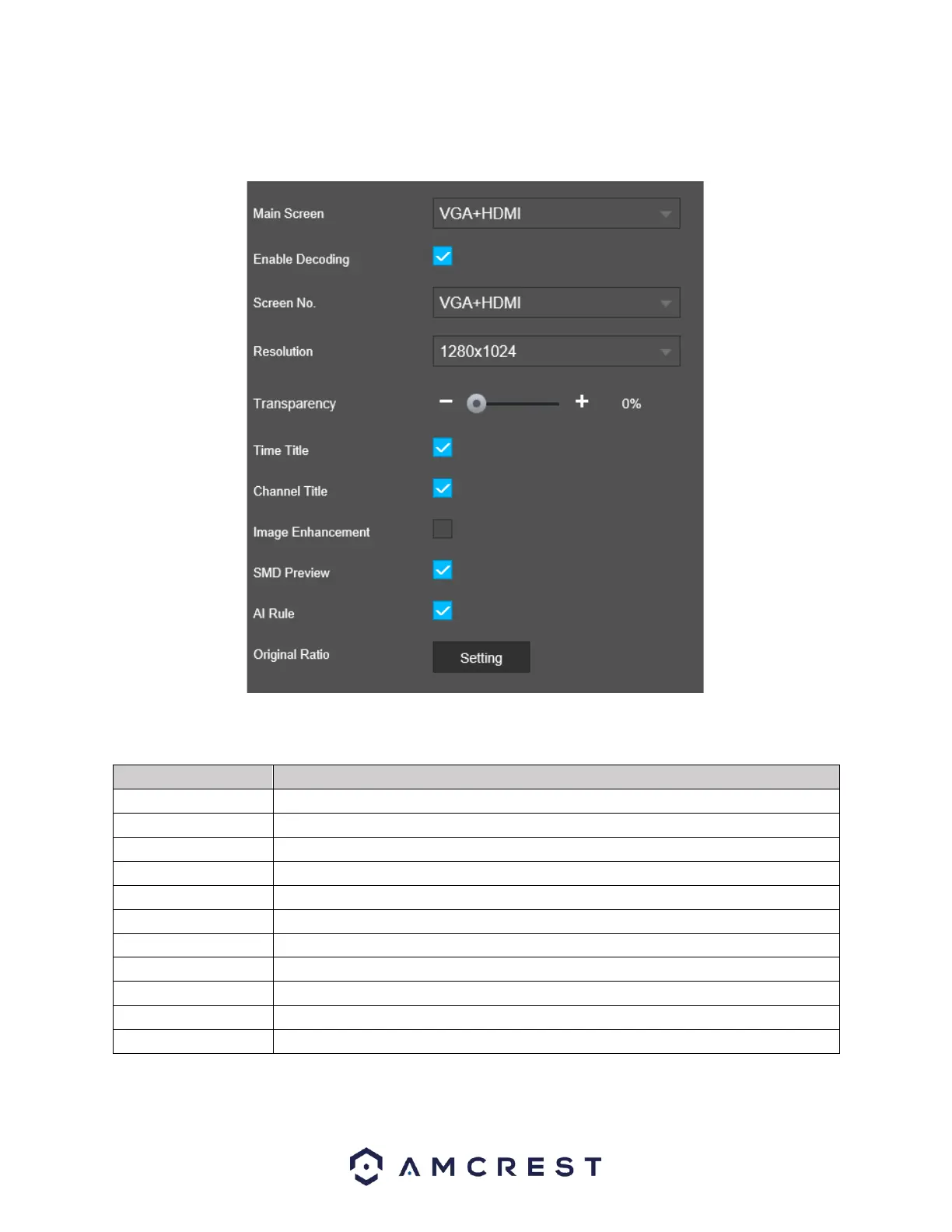
This menu provides you with quick access to your display and output information associated with your
NVR. You can configure the display effects such as, resolution, time delays, channel titles, etc.
For more information on the settings provided in this menu, refer to the table provided below.
The main display outputs. The device should be VGA+HDMI by default.
This checkbox enables decoding from the NVR to the display.
This dropdown menu should be default to VGA+HDMI.
This drop-down menu provides output different output resolutions of the NVR.
Use this slider to choose a transparency rate for the output of your device.
This checkbox enables the time overlay on the display.
This checkbox enables the channel overlay on the display.
This checkbox provides automatic image enhancement from the NVR.
This check box enables smart motion detection previews on the display.
Enable and disable AI overlays in the in the output display.
This checkbox sets the display into its original aspect ratio.
Click Refresh to refresh the interface. Click Save to Save display settings.



 To Next Page