22
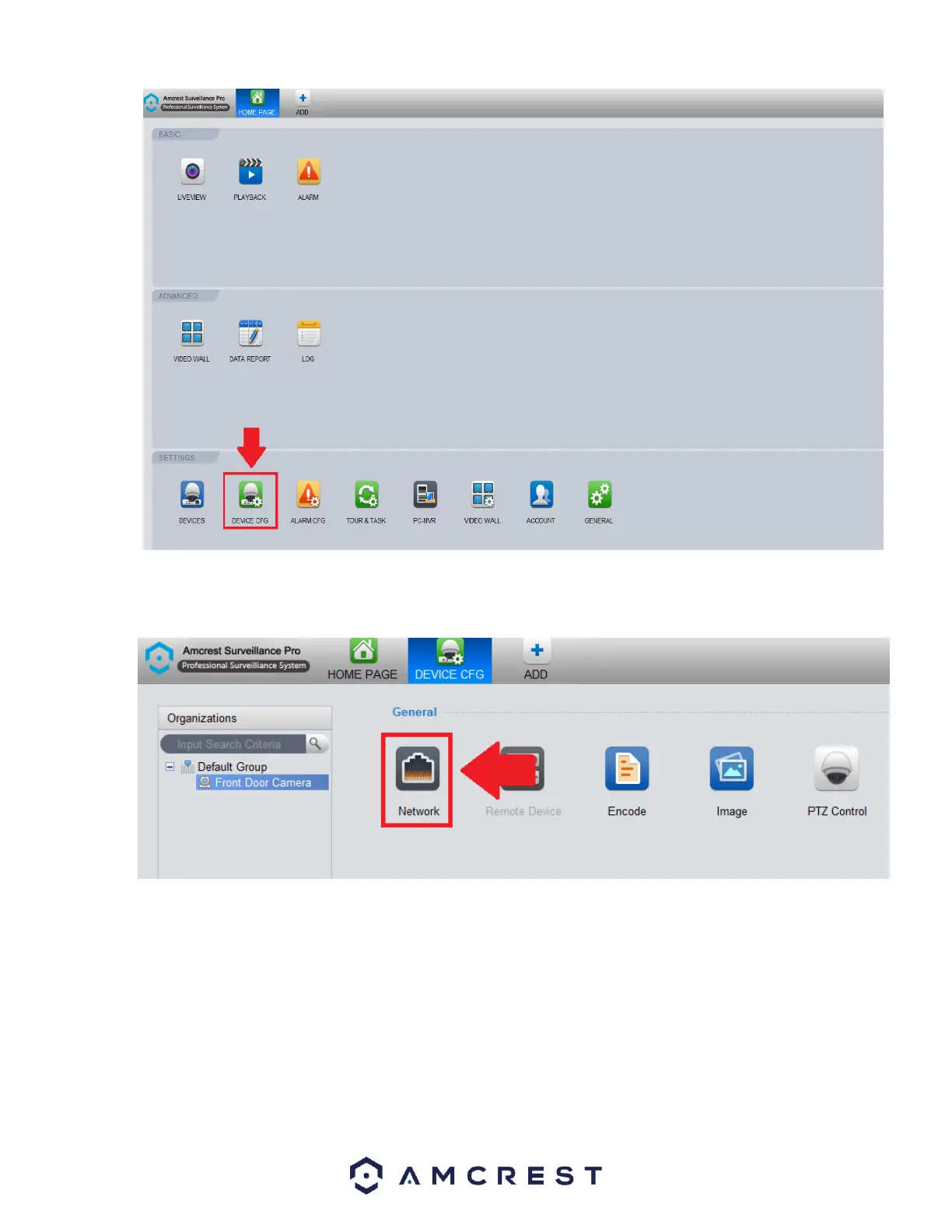
In the Organizations menu on the far left, click on the device you wish to modify. Then In the device configuration menu, under
General click on the Network icon to access the network settings for your device.
In the Network Settings menu, in the Mode section click on the Static radio button to set your device to a static IP. Click Save and
Apply to apply the network settings to your device.















 To Next Page