98
Before you create certificate or download certificate, from main window->Setup->Network >Connection, set the
HTTPS port values and then check the box to enable HTTPS
For more information on how to setup HTTPS in the web user interface visit
https://www.youtube.com/watch?v=gkjlaf-Iuso
5.4.3. Event
This menu section allows the user to change different settings for triggering events.
5.4.3.1 Video Detection
The video detection menu has two tabs: Motion Detect and Video Tamper.
5.4.3.1.1 Motion Detect
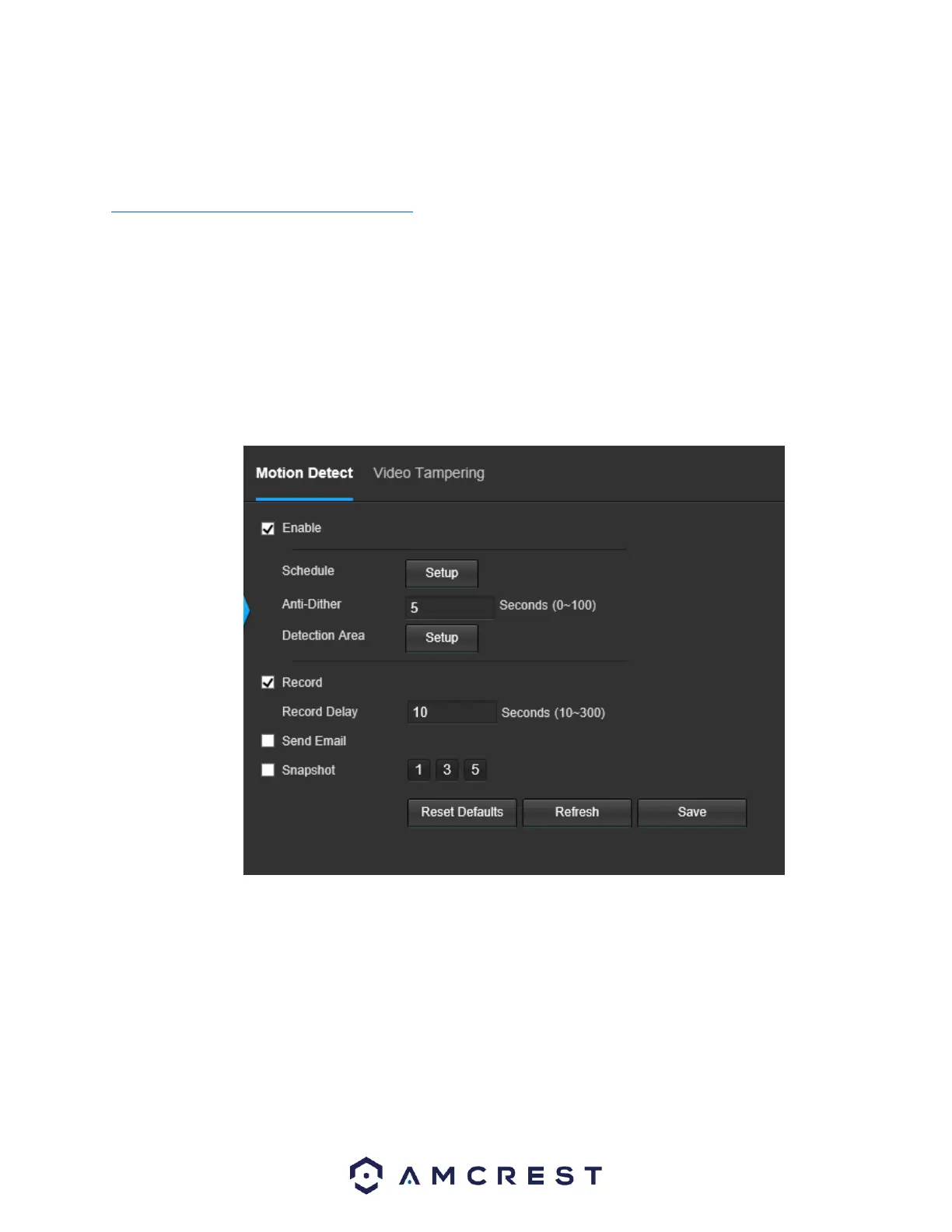
This tab allows the user to modify motion detection settings. Below is a screenshot of the Motion Detect tab:
Below is an explanation of the fields on the Motion Detect tab:
• Enable: This checkbox enables motion detection for the camera.
• Schedule: Clicking this button opens a weekly schedule that can be used to set times.















 To Next Page