60
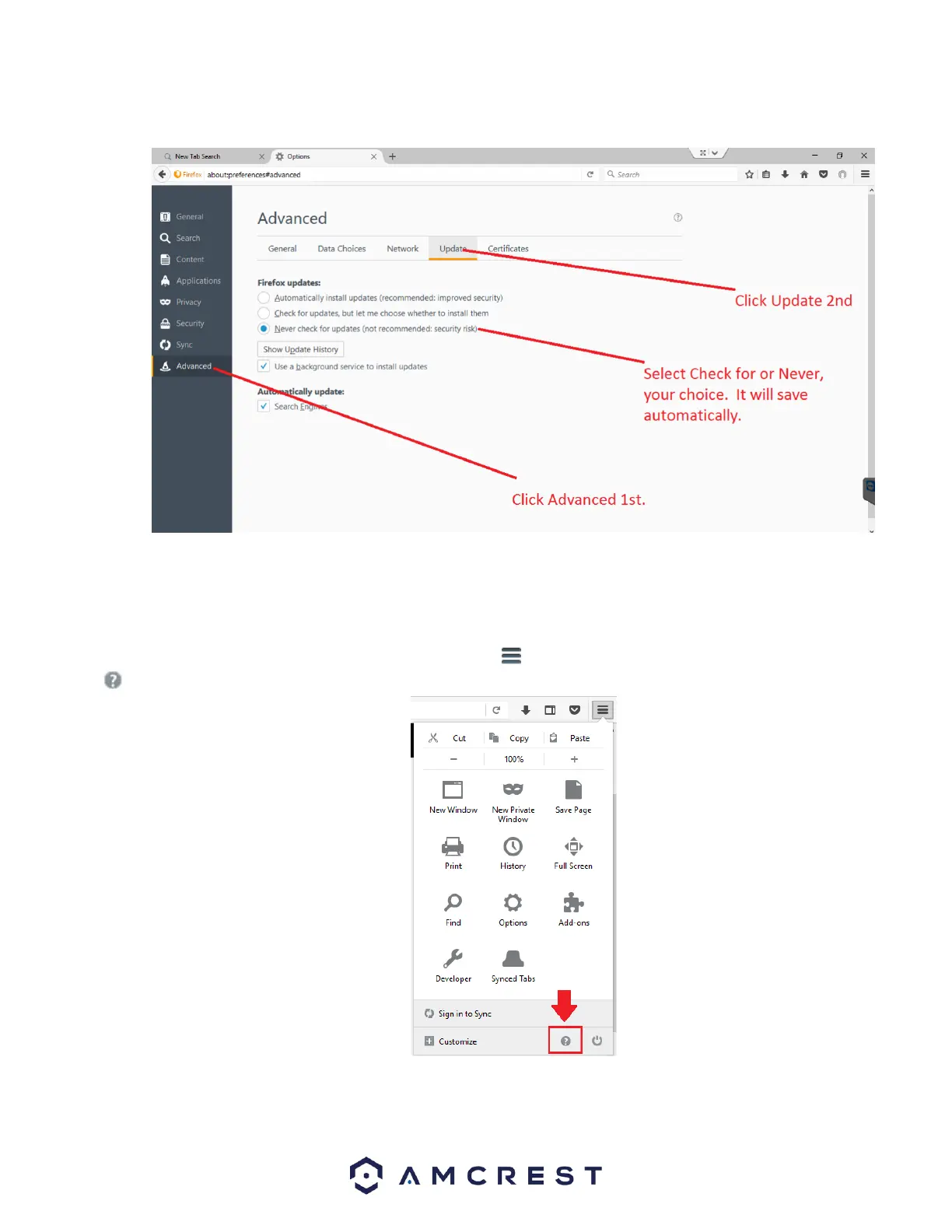
In the options menu, click on Advanced and then click on the Update tab. In the update tab, select the Never check for updates
radio button. This will deactivate your browser from obtaining any future updates of the browser.
How to Access the Web User Interface Using Firefox
Before accessing your device using Mozilla Firefox, ensure you are using the correct version of Firefox. As discussed previously,
later versions of Firefox may prevent the use of plugins which are needed to access your device.
Verify the Correct Version of Firefox is Being Used
To verify the correct version is being used, click on the settings menu located at the top of your screen and click on the help
menu at the bottom of the settings menu
In the help menu, select About Firefox















 To Next Page