27
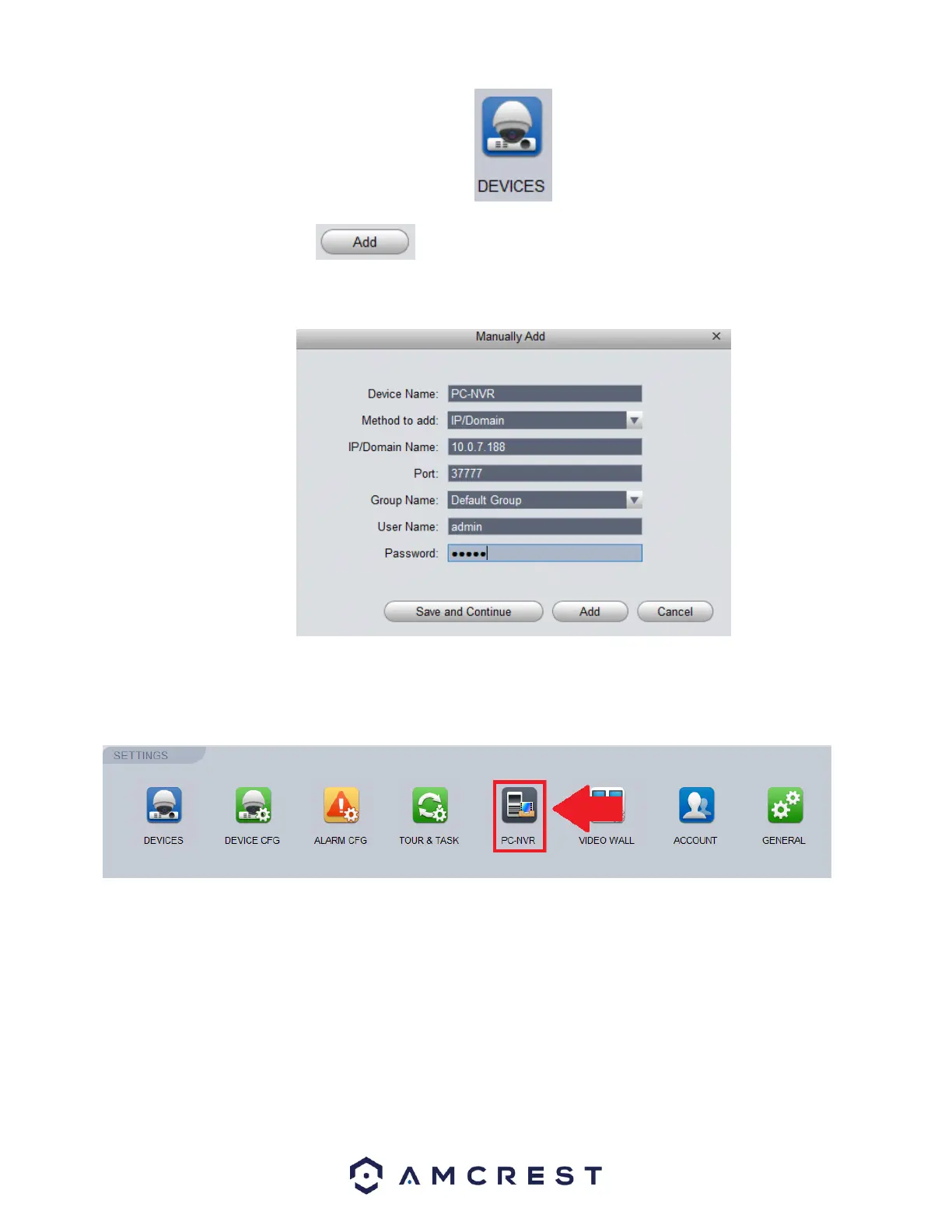
In the Devices menu, click on the button. In the Manually Add screen enter a name, preferably “PC-NVR” and in
the IP/Domain Name field, enter the IPv4 Address from the command prompt screen. Lastly, enter the username and password.
The username and password will both be admin. When complete, press Save and Continue to proceed.
The PC-NVR entry will then be added into the Devices menu.
To enable PC-NVR, navigate to the Home Page and in the Settings menu, click on the PC-NVR icon.
Once the PC-NVR tab opens, you will find your PC-NVR details, select Remote Device.















 To Next Page