29
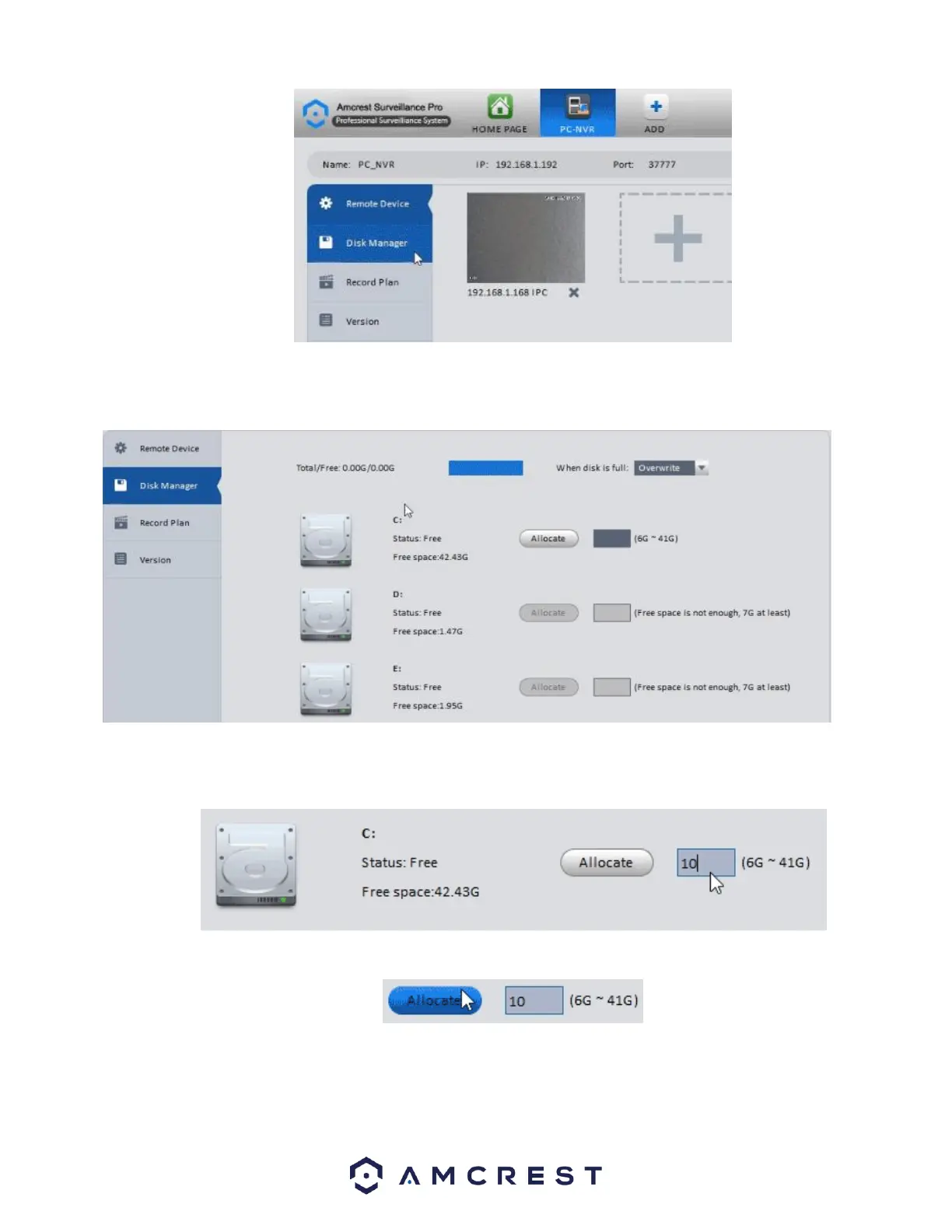
Disk Manager will appear showing you a list of drives that could be used to allocate storage space for your cameras through
Amcrest Surveillance Pro.
Select a disk you would wish to use for recording purposes, you may allocate as much space as you have available on the drive
within its minimum and maximum allowance.
Once you’ve set a number between the possible storage sizes, click Allocate.
A prompt window will appear to warn you the allocation may take several minutes, and the application will restart after
completion. Click OK to begin the allocation.















 To Next Page