31
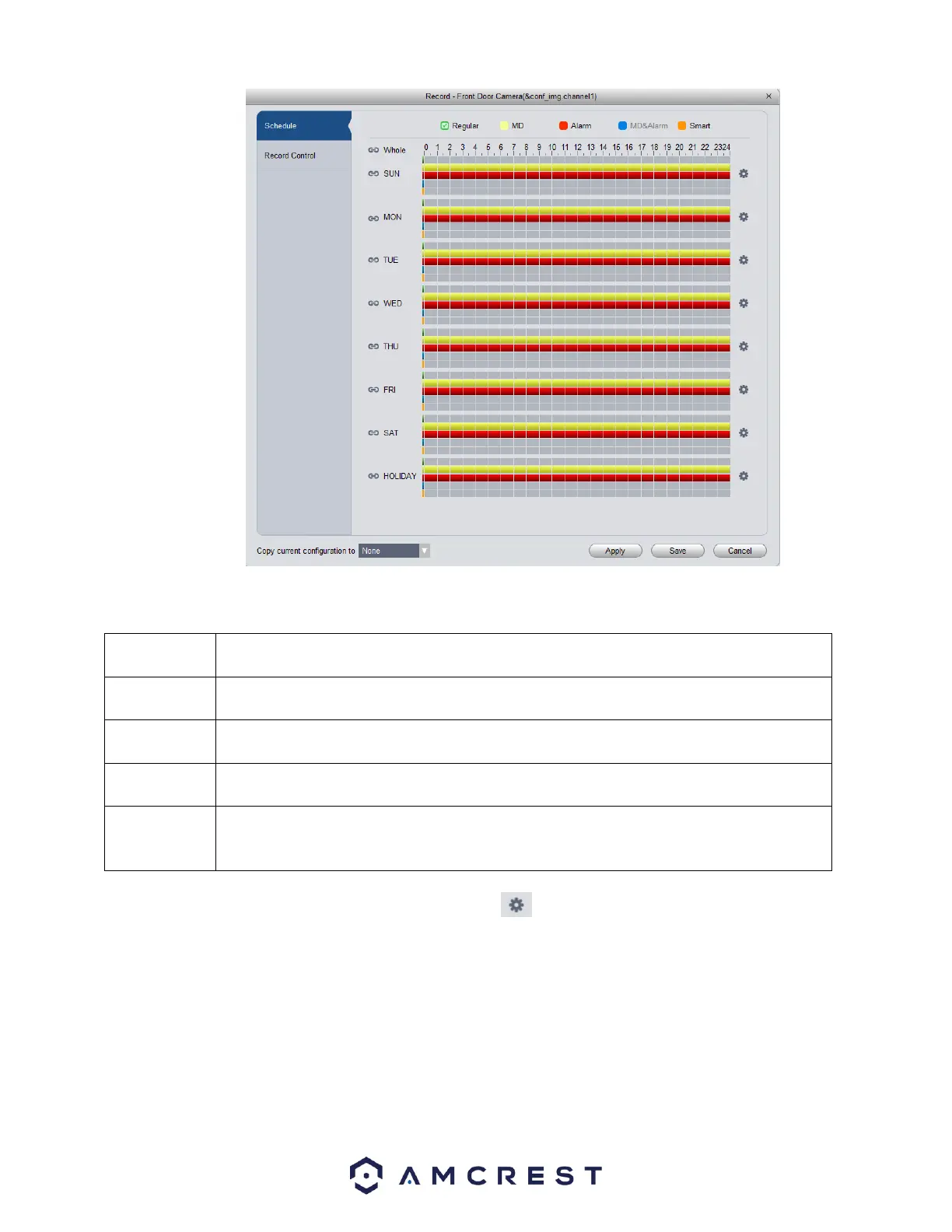
Below is a description of the fields listed in this menu:
Regular recordings are set to set your device for continuous recording. This field is designated
by a green color in the software.
MD, or Motion Detection recordings, are set to set your device to record on motion detection.
This field is designated by a yellow color in the software
Alarm recordings are set to set your device to record only when a specific alarm is triggered.
This is designated by a red color in the software.
MD&Alarm, combine both motion detection and alarm settings into on specific attribute. This
field is designated with blue color in the software.
Smart is set to only apply smart features such as, face detection or other intelligent features,
to trigger recording. Amcrest cameras do not currently support smart features. However, this
is designated with an orange color in the software.
To begin setting a record schedule for your device, click on the icon next to the day you want to schedule your record plan.















 To Next Page