41
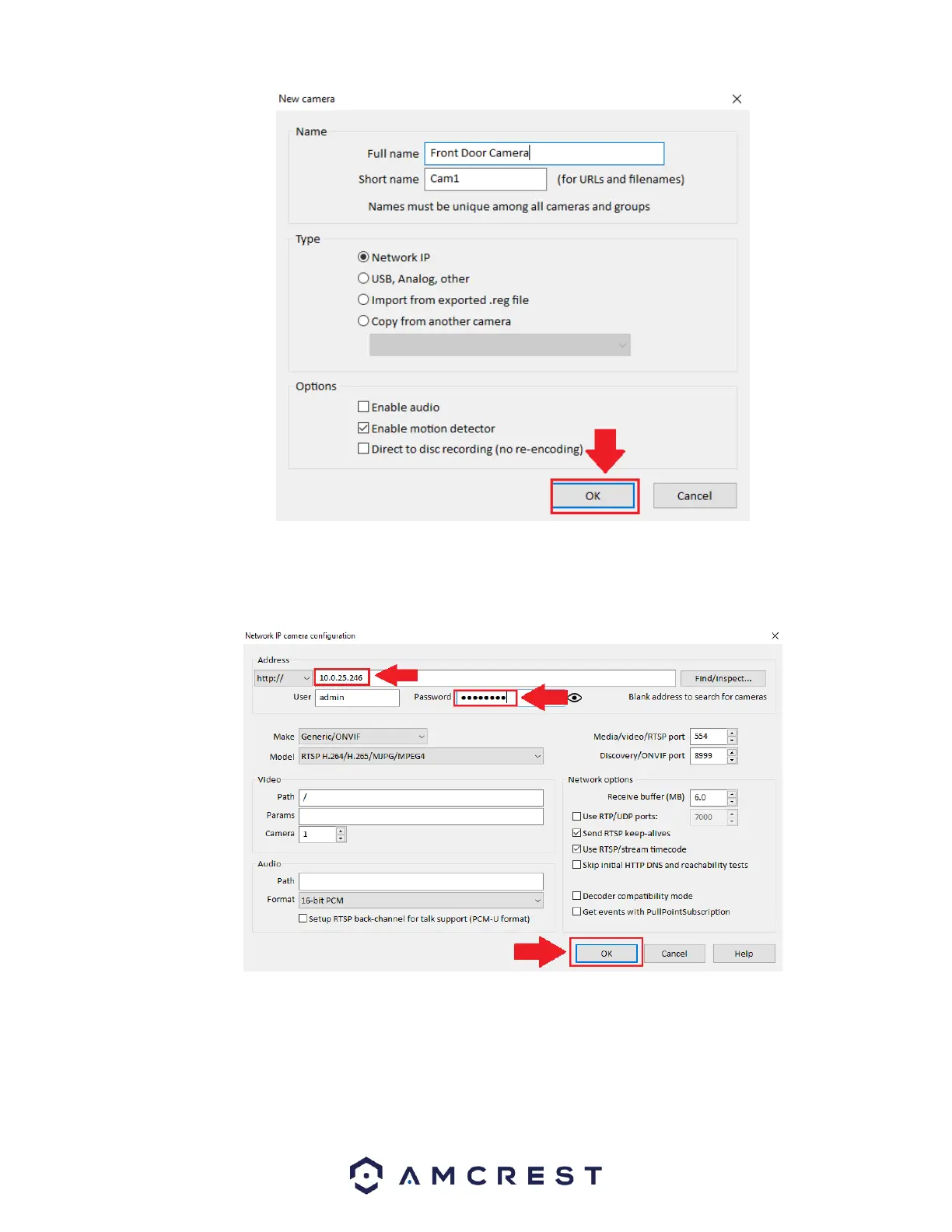
Next, enter the IP address of the device. This is the IP address discovered in the IP config tool. Enter the IP address in the Address
field, then enter the user name and password for your device. If this is the first time using your camera, the password will be
admin. Click OK to continue.
The next screen will be the settings menu for your device. In this menu you can set Alerts, Schedules, PTZ/Control, General,
Video, Audio, and other settings associated with your device. Click OK to continue.















 To Next Page