24
• BLC: backlight compensation: Default will use the whole image to balance the lighting settings, and
Customized will allow you to balance the lighting settings from the target area.
• WDR: Wide Dynamic Range makes multiple scans of a scene to provide one balanced and unwashed
image that is clear for the user.
• HLC: Highlight compensation is a feature that came out of necessity due to overexposure from strong
light sources like headlights or spotlights.
To reset to default settings, click the Reset Defaults button. To refresh the screen, click on Refresh. To
save the settings, click the Save button.
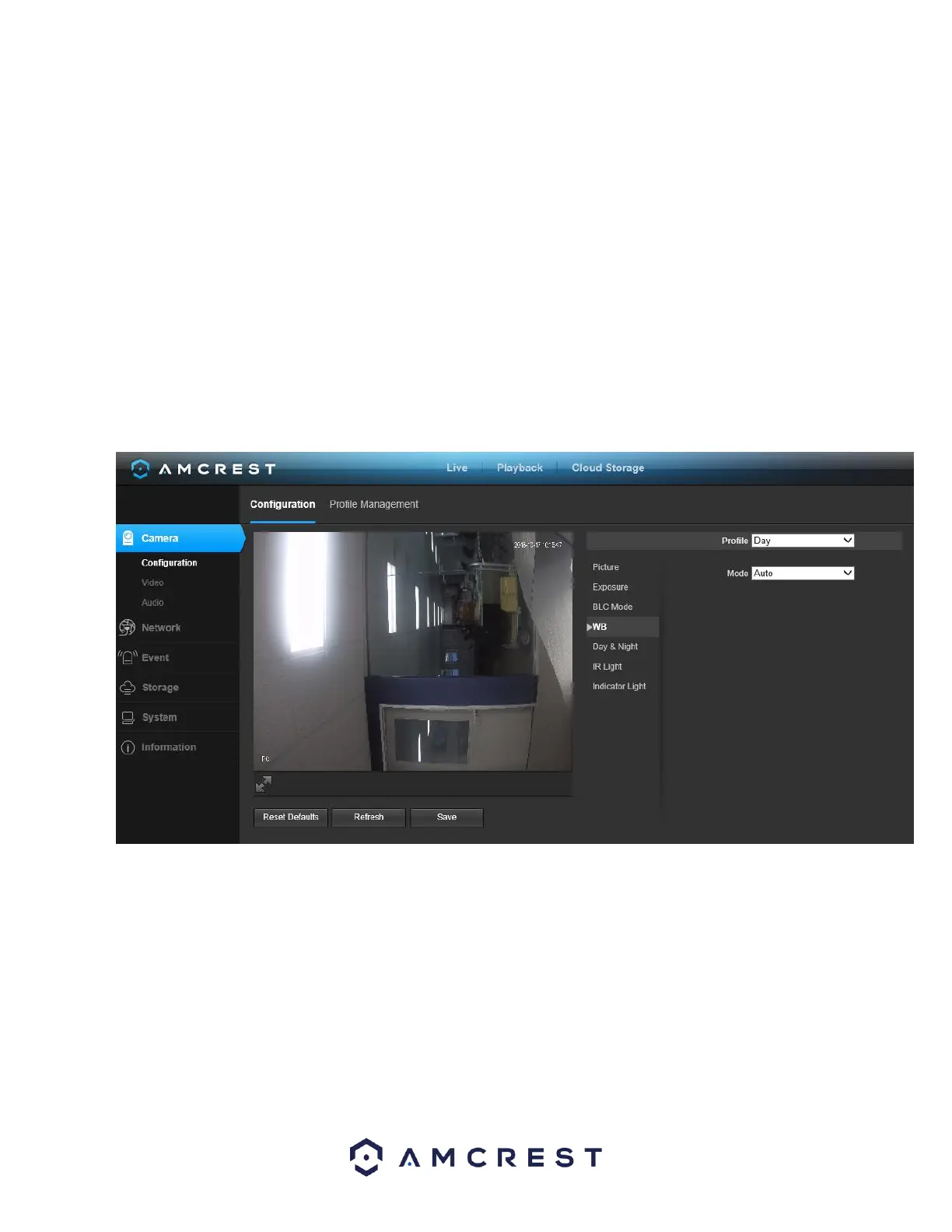
5.3.1.1.4. WB
This dropdown box allows the user to select the white balance for the video feed. The different options are Auto, Sunny, Night,
Outdoor, and Customized. Selecting customized opens a menu that allows the user to set specific red or blue values. Below is a
screenshot of this menu:
To reset to default settings, click the Reset Defaults button. To refresh the screen, click on Refresh. To save the settings, click the
Save button.
5.3.1.5. Day & Night
Used to determine when black and white mode is turned on in a dark environment. Below is a screenshot of this menu:















 To Next Page