59
To view logs for a specific time period, modify the start time and end time fields, choose the type of
event (system, setting, data, event, record, manage users, clear log), and click search.
To back up the log, click the Backup button. To clear the log, click the Clear button.
5.4.6.2.1. Remote Log
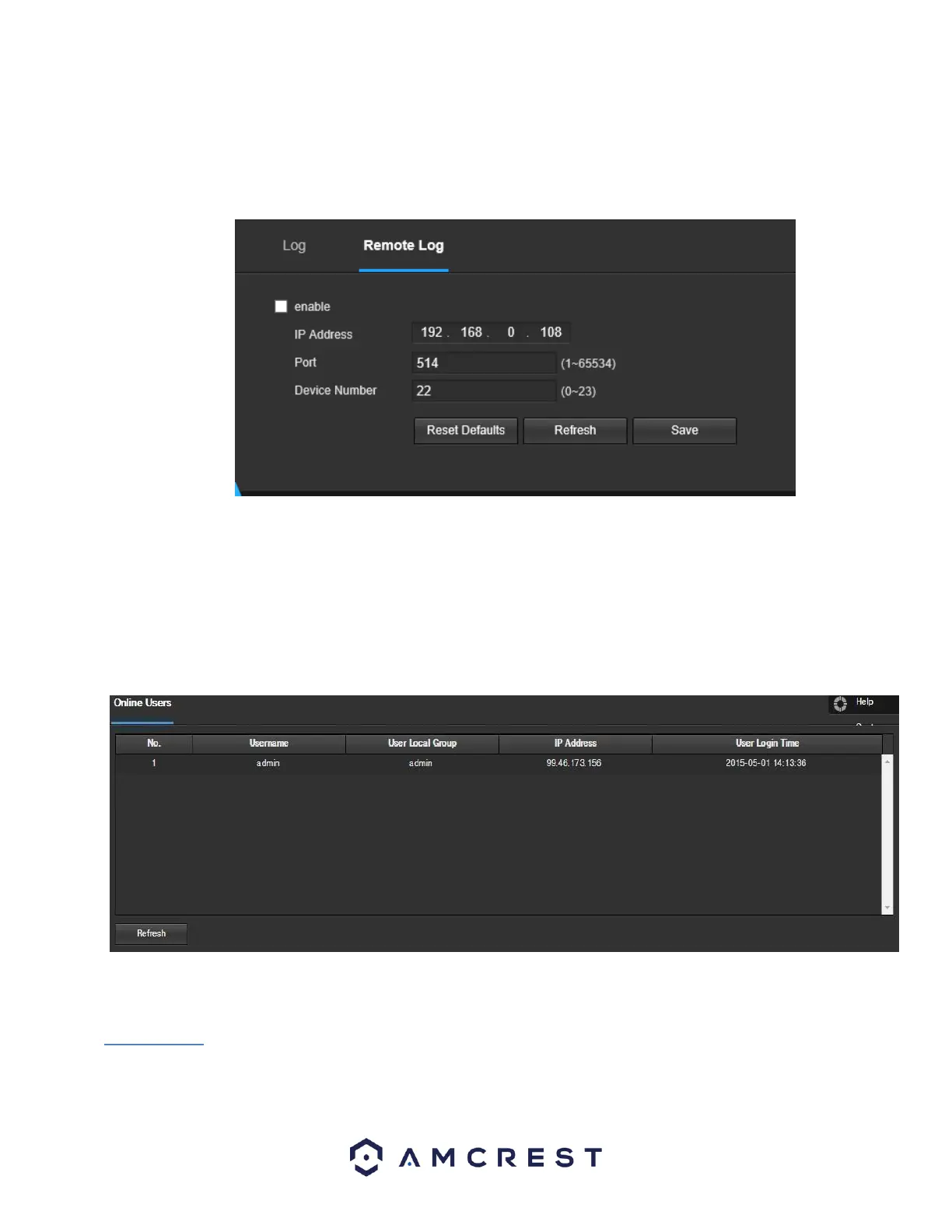
This tab allows the user to enable and access remote logs within the camera. Below is a screenshot of this menu:
To use this menu, check the enable check box to enable remote log functionality. Enter the IP address, port number and device
number of the device you would like to pull remote logs from.
To save your settings, click Save. If you would like to refresh the screen to show applied settings, click Refresh. To set the screen
back to its original default settings, click Reset Defaults.
5.4.6.3 Online Users
This screen allows the user to see which users are online. Below is a screenshot of the Online Users
screen:
Click Refresh to refresh this table.
5.5 Alarm
This screen is where the alarm log is kept. Below is a screenshot of the alarm screen:















 To Next Page