27
• Profile: This dropdown box allows the user to select which profile to modify. The 3 options are Day, Night, and Normal.
• Mode: This dropdown box allows the user to select whether to turn the indication light on or off.
To reset to default settings, click the Reset Defaults button. To refresh the screen, click on Refresh. To save the settings, click the
Save button.
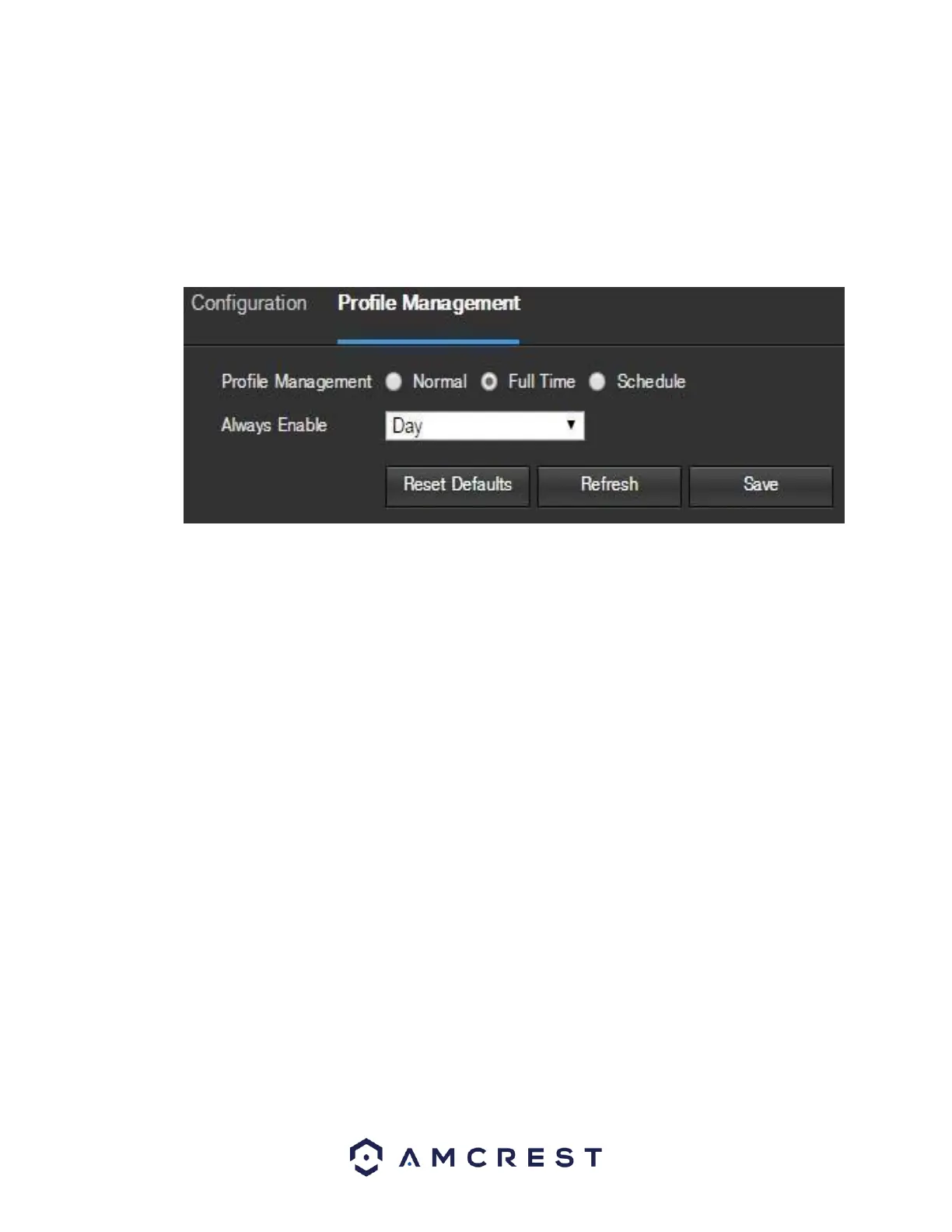
5.3.1.8. Profile Management
Below is a screenshot that shows the Profile Management tab in the Configuration menu item:
Below is an explanation for each of the fields on the Profile Management tab in the Configuration menu
item:
• Profile Management: This set of radio buttons allow the user to set what basis the profile
management settings run on. There are 3 options: Normal, Full Time, and Schedule. Normal means
that the system can automatically alternate between night and day based on the profiles for each.
Full Time means that the system sticks to one profile the entire time it is running. Schedule allows
the user to dictate which times of the day are designated for the day profile and the night profile.
To reset to default settings, click the Reset Defaults button. To refresh the page, click the Refresh button. To save the settings,
click the Save button.
5.4.1.2. Video
This section allows the user to change video settings for the camera’s video feed. There are 4 tabs in this
menu item: Video, Snapshot, Overlay, and Path.
5.4.1.2.1. Video
Below is a screenshot that shows the Video tab in the Video menu item:















 To Next Page