29
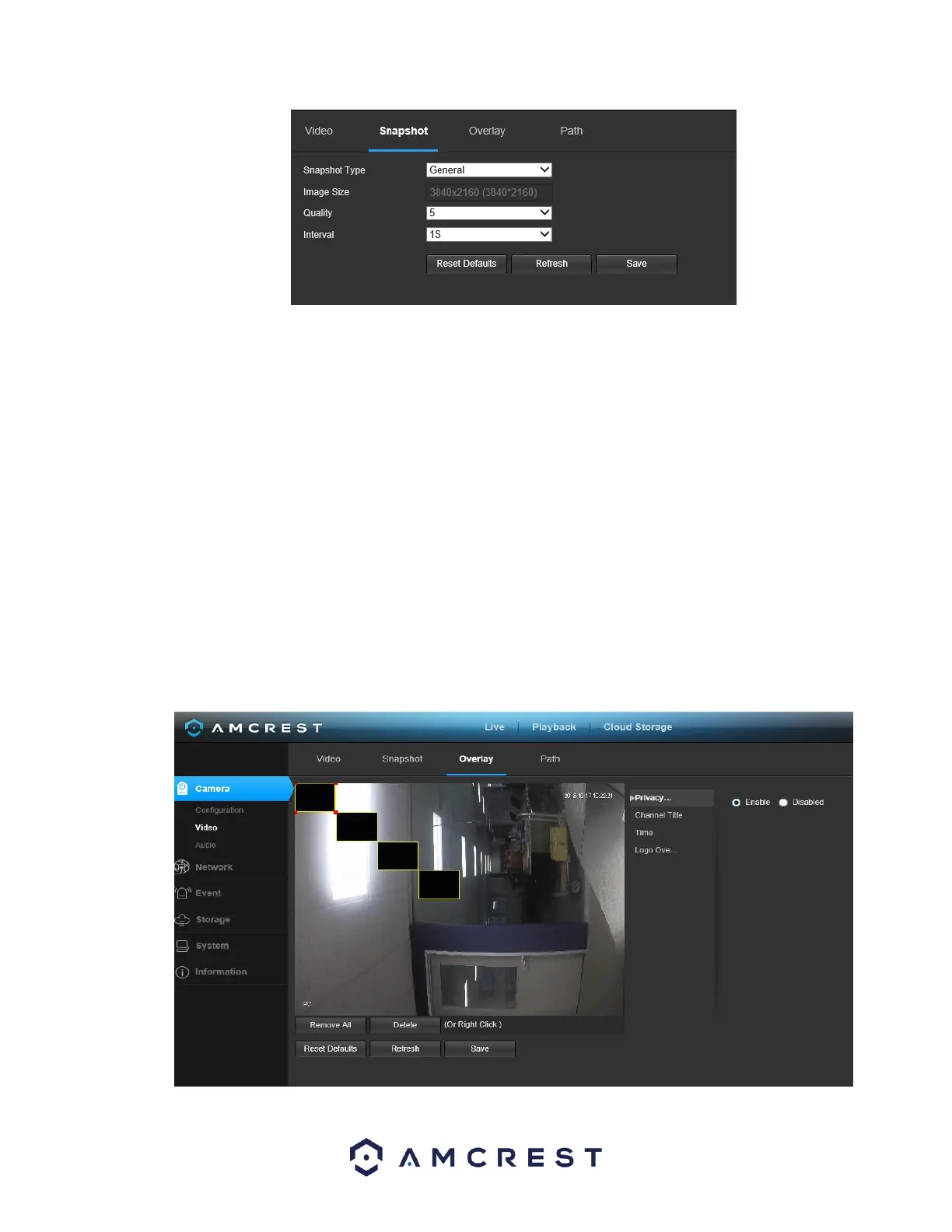
Below is an explanation for each of the fields on the Snapshot tab in the Video menu item:
• Snapshot Type: This dropdown box allows the user to select a snapshot mode. There are two
snapshot modes:
▪ General: Snapshots are taken as scheduled.
▪ Event: Snapshots occur when a motion detection alarm or tampering alarm is
triggered
• Image Size: This dropdown box shows the image size. By default, the screenshot size is the same size
as the video feed’s resolution.
• Quality: This dropdown box allows the user to select image quality. Quality is adjusted on a scale of
1-6.
• Interval: This is to set snapshot frequency. The value ranges from 1 to 7 seconds. The maximum
setting for a customized interval is 3600s/picture.
To reset to default settings, click the Reset Defaults button. To refresh the page, click the Refresh button.
To save the settings, click the Save button.
5.4.1.2.3. Overlay
Below is a screenshot that shows the Overlay tab in the Video menu item:















 To Next Page