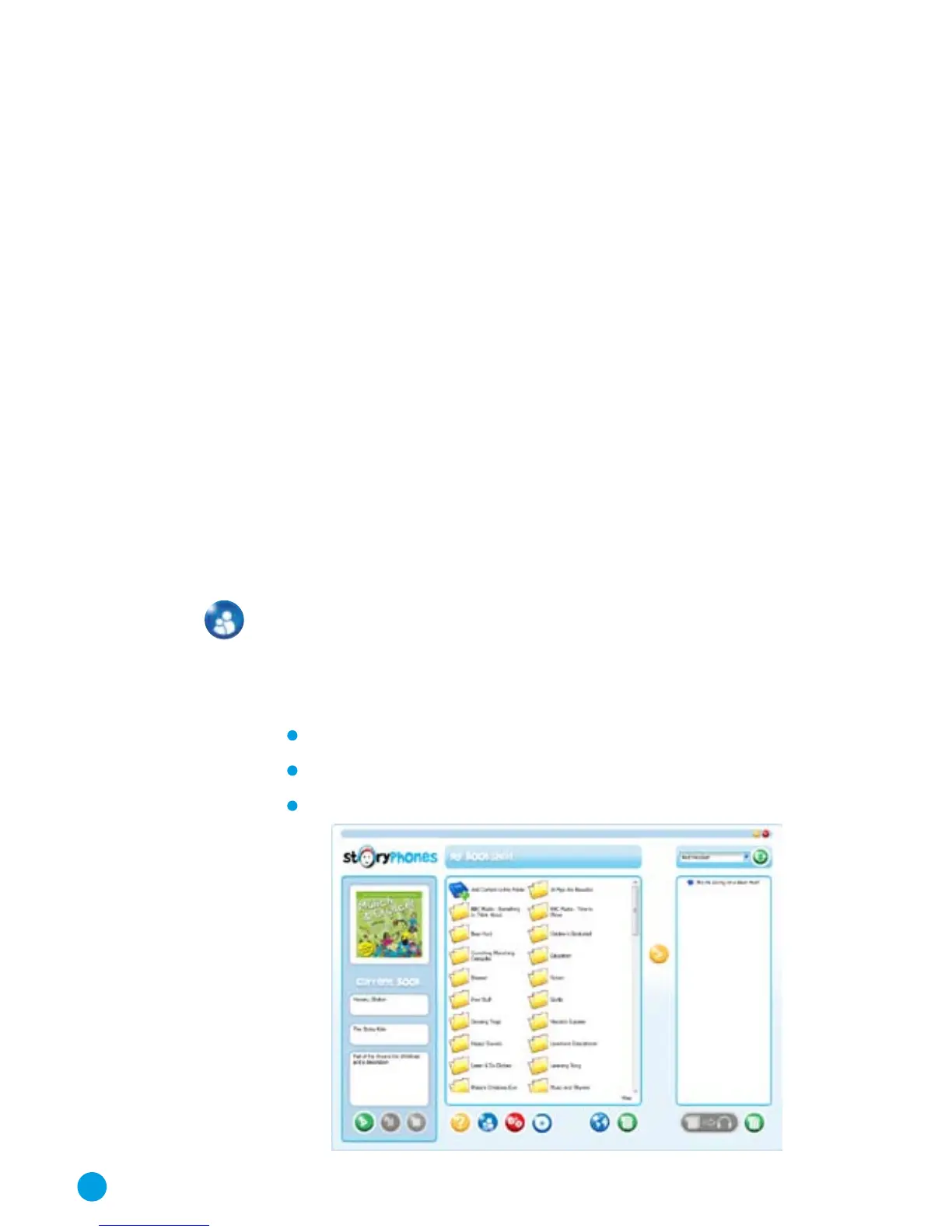
The StoryPhones BookShelf Software
The StoryPhones BookShelf software (or Bookshelf) allows you
to transfer audio files from your computer, preview your audio
files, add files to your library, convert CDs, configure your players
and also link to the StoryPhones online bookshop. The software
is written to be easy to use and contains all that you need to use
StoryPhones in a single program.
BookShelf has two modes of operation: Child Mode and Adult
Mode. In child mode, many of the functions are disabled so that
children cannot delete audio files, move them around or
configure the Headsets. All of the on-line functions are also
disabled. However, the children are able to select which stories,
songs or other content they would like to listen to by copying
onto the Headsets or Remote Console and also to listen to
content on the computer using the built-in MP3 player.
Everything that you can do in child mode you can also do in adult
mode. BookShelf will always open in Child mode.
To access the adult functions click on the Mode button, type your
password in the pop-up window that appears and click OK. You
can set this password in the settings screen but the default pass-
word is the password that was provided to you or that you chose
during installation.
The program window is split into three panels:
MP3 Info and Player panel
Bookshelf panel
Players panel
8



 To Next Page