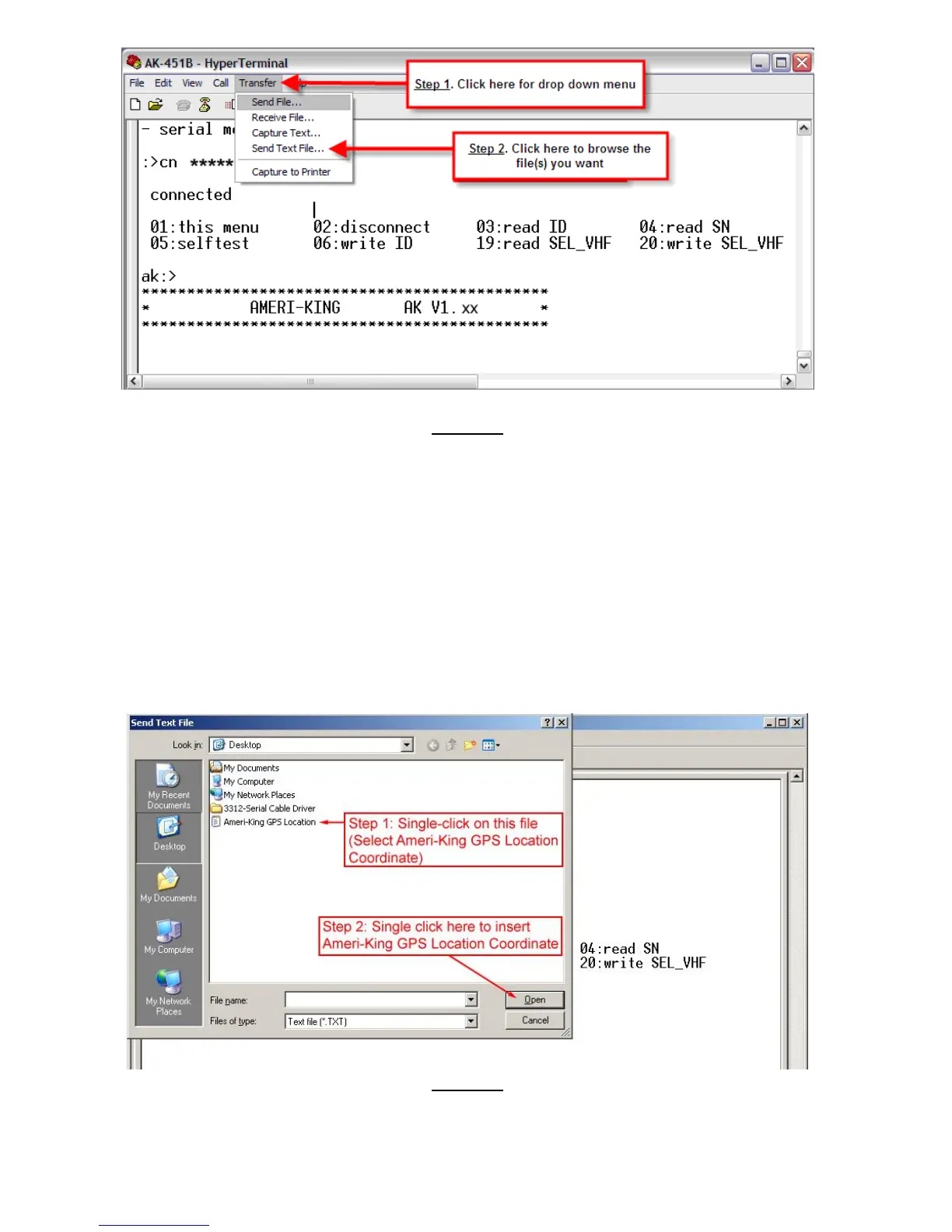
Figure 8
Inserting Ameri-King GPS Location Coordinate (See Figure 9)
1. Single-Click on “Ameri-King GPS Location” (The file contains the
coordinate of Ameri-King GPS Location.)
2. Set the switch of the ELT to “ON” position.
3. Single-Click on “Open” button to insert the coordinate of Ameri-King
GPS Location to the ELT.
4. DO NOT turn the ELT off. Wait for 50 seconds and you will receive 30
Hex digits (Ignore the first 6 digits) coming from the ELT that contains
the coordinate of the Ameri-King GPS Location (See Figure 10). Use
the 406MHz Decode Program to verify the coordinate input.
Figure 9



 To Next Page