3.4.10.5 GPS Position Test, if equipped
(for using TS-451 Computer Test Set or equivalent) :
Note: Per FCC Regulation, this test should be conducted inside a RF shielded
room or an ELT RF shielded box. Dummy 50 ohm Load should be used.
Connect the AK-451 with ELT Computer Test Set TS-451.
Turn the switch of the ELT to “ON” position.
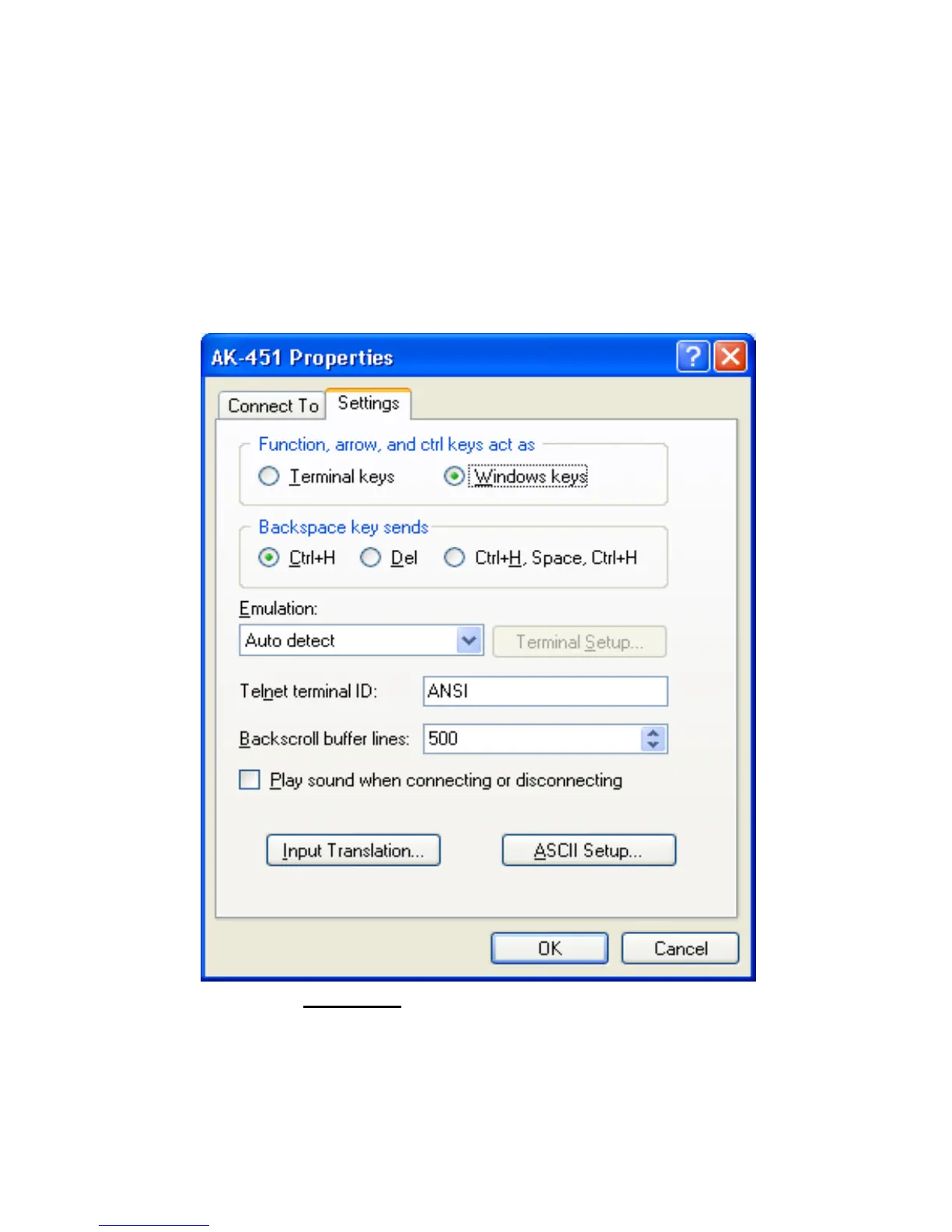
Verify the following setting (See Figure 20.) From the Hyper Terminal window
(or the equivalent RS-232 window), Click File -> Properties -> Settings tab.
Click OK to go back to Hyper Terminal window.
Figure 20: Verify parameter setting.
Waiting for 50s, verify the 36 Hex digits (ignore first 6 digits). The last 30 Hex digits
will be used for Cospas-Sarsat Decode program, in order to see the Latitude,
Longitude Position.



 To Next Page